Remote and hybrid work have revolutionized how teams connect—but they’ve also introduced new hurdles:
- Isolation: Employees miss out on casual interactions.
- Communication Silos: Information gets trapped in separate channels.
- Document Confusion: Finding the correct file can feel impossible.
Remote workers also spend their days bouncing between multiple apps to chat, send emails, and access files. Yet, many still feel disconnected from their company culture and from one another.
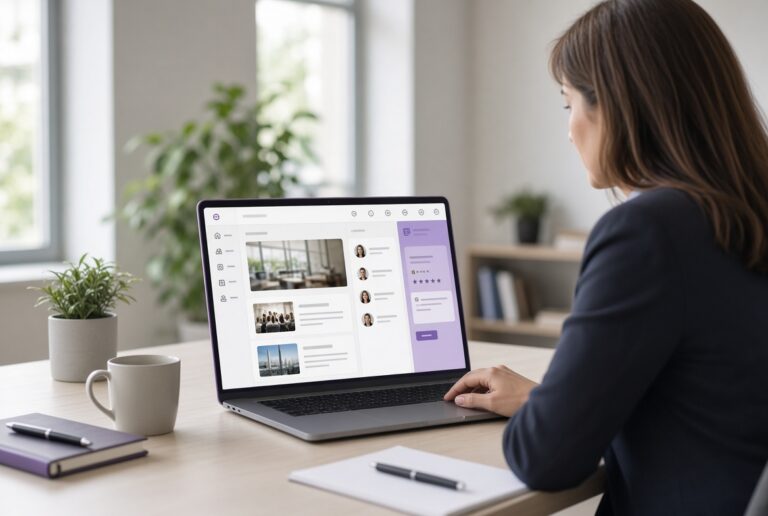
That’s where employee engagement tools come in. When integrated into a modern intranet, they unify communication, simplify workflows, and keep employees informed and engaged. Instead of jumping between platforms, employees have a single, connected hub.
Here’s a look at the intranet engagement and collaboration tools for remote teams you should be using.
Top Challenges Remote Teams Face
Remote teams and their managers encounter all sorts of hurdles, such as:
Communication Breakdowns and a Lack of Visibility
When your team is spread across different time zones, spontaneous collaboration becomes nearly impossible. Without clear channels for announcements, project updates, and feedback, communication becomes fragmented quickly. Managers struggle with visibility into team progress, and employees feel left out of the loop.
Document Access, Versioning, and Content Discovery Issues
File chaos is one of the biggest headaches that remote workers face. Multiple document versions live in different systems or inbox threads. The result? Wasted time and lots of errors. Without centralized document management, remote employees risk working from outdated or incomplete information.
Low Engagement, Isolation, and Reduced Belonging
Remote workers can easily drift away from company culture when they are not immersed in it daily. Without casual social interaction or in-person recognition, engagement levels will drop. Employees may feel invisible or totally disconnected. When they don’t feel valued, workers will have a tough time giving their best.
Collaboration Inefficiencies Across Time Zones
Scheduling becomes a headache when colleagues are separated by several hours. Delayed responses and overlapping tools make teamwork inefficient. Collaboration tools for remote teams must make asynchronous work seamless.
Security, Governance, and Compliance Risks
Remote environments also expose your business to higher data risks. Unsecured sharing platforms and the widespread use of personal devices can create blind spots within your cybersecurity strategy.
Inconsistent permissions are another problem, as they can jeopardize sensitive information. Stringent governance is essential, especially when your team is decentralized.
How Employee Engagement Tools Help Overcome These Challenges
Engagement and collaboration tools for remote teams are a game-changer for any business with remote or hybrid teams. Here are the types of employee engagement tools you should focus on, along with their benefits.
Centralized Communication via Intranet
A modern intranet acts as the heart of remote engagement. With unified announcements, interactive dashboards, and targeted push notifications, every employee stays informed in real time. You can share updates company-wide or by department to keep staff informed.
A human resources intranet can be particularly valuable, as it provides a single, consistent space for policies, updates, and communication. The result? Less confusion and the confidence of knowing that nothing has been missed.
Collaboration Tools for Remote Teams
Effective collaboration depends on more than chat messages. Collaboration tools for remote teams allow employees to co-author content and work in shared project spaces that integrate directly with Microsoft Teams, Office, and SharePoint. They can also maintain tighter version control and prevent employees from unintentionally undoing one another’s work.
Centralizing communication sets the stage for better brainstorming and content delivery within one interconnected workspace. Integration with project management workflows ensures that tasks, feedback, and documents remain secure.
Recognition, Feedback, & Social Engagement
Dispersed employees still expect to be recognized for all of the hard work that they do. Engagement tools bring social connection back into the digital environment. You can use peer shout-outs and public recognition to foster morale and a sense of belonging.
Intranet-based employee engagement tools also enable you to create feedback loops to gauge team sentiment. You can pick up on changing sentiments among your workforce, whether they are good or bad. The sooner you identify these shifts, the more time you will have to respond to them.
The result? Employees feel seen and appreciated, even if they are primarily connecting with the business through a screen.
Content Management & Document Discovery
Finding the right document shouldn’t feel like detective work. Employee engagement tools with built-in document management solve this by enabling tagging, smart search, approval workflows, and retention policies. Employees always access the most current version of every file.
Advanced intranet solutions have made compliance and governance part of the ecosystem. As a result, you can spend less time stressing about compliance and instead focus on getting the job done.
Measuring Engagement & Using Analytics
Employee engagement tools with built-in analytics take the guesswork out of connecting with your staff. You can use these insights to identify what works and fix what doesn’t. Modern solutions include customizable dashboards that show adoption, engagement rates, and sentiment metrics.
Pulse survey and usage analytics are great resources as well. They identify which content, departments, and tools drive the most participation. Managers gain insight into engagement drop-offs or productivity trends. If you notice a problem, you can proactively address it before it escalates.
Incorporating AI to Enhance Engagement Tools
AI-powered employee engagement tools are transforming the digital workplace into a predictive environment. AI helps your team stay connected and focused. Here are a few ways to use artificial intelligence to promote better engagement:
- AI-Powered Suggestions: Analyzes user behavior to surface relevant content
- Content Personalization: Employees receive content relevant to their roles and current projects or tasks
- Copilot and Smart Search: Copilot empowers employees to find documents and generate content instantly
- Automated Compliance Monitoring and Risk Detection: AI can detect policy violations and ensure governance protocols are followed to the letter
- Predictive Analytics for Engagement Drop-Off: Helps leaders spot early signs of disengagement, enabling timely interventions before morale dips
Looking for a modern intranet solution that incorporates the latest tools for engagement and collaboration? Let’s look at some best practices to help you make an informed choice.
Best Practices When Choosing Employee Engagement Tools
A modern intranet is the ideal platform for getting your employees connected and focused. So how do you choose the right one? Here are some features and functionality to prioritize:
- Integration With Existing Infrastructure: Choose a platform that connects with your current systems, such as Microsoft Teams and SharePoint
- Scalability and Remote/Hybrid Support: Ensure the platform supports remote and in-office teams
- Security, Governance, and Permissions: Look for tools with tight access controls and built-in compliance workflows
- UI/UX and Adoption Strategies: Prioritize intuitive design, mobile accessibility, and built-in training modules
Focus on a solution that has been tailored to your industry. For example, a professional services intranet platform will include unique tools and functionality for that sector.
Why hubley’s Platform Excels as a Remote Engagement Solution
As a modern solution, hubley combines the best employee engagement tools and collaboration features for remote teams into one seamless experience. With hubley, you get:
- Built-In Intranet Capabilities: Eliminate fragmentation with a single, branded hub for communication, documents, and collaboration
- Seamless Microsoft Integrations: Remote employees can collaborate in familiar environments without jumping around
- Pre-Built Templates and Governance Features: hubley includes pre-built templates for onboarding, compliance, and HR communication
With hubley, you can overcome your most significant collaboration and communication challenges, even when managing remote or hybrid teams. Schedule a demo today!