Building a SharePoint intranet requires more than choosing a platform and creating a homepage. Organizations need to plan content ownership, governance, navigation, integrations, and long-term management before launch. A SharePoint intranet can improve communication, centralize resources, and help employees find information faster when it is built with clear business goals in mind.
The platform itself is only one part of the project. Decisions around content ownership, governance, search, integrations, and site structure will have a much bigger impact on adoption than the homepage design.
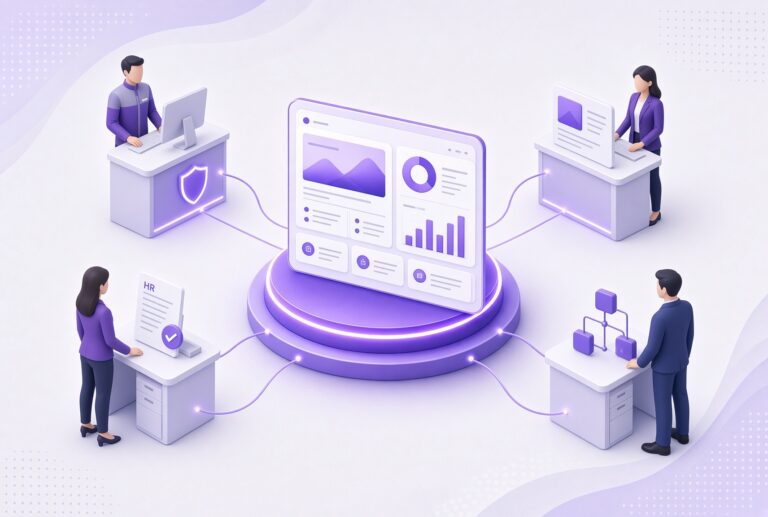
If you're planning a new intranet or replacing an existing one, these ten considerations can help you avoid common mistakes and build an intranet employees will actually use. 
If you are still evaluating the basics, start with our guide
1. Define Clear Business Goals Before Building a SharePoint Intranet
Many intranet projects start with discussions about design or functionality. Start with business goals instead.
Ask what problem the intranet should solve. You might need a better way to communicate company news, support remote employees, simplify access to policies, or reduce time spent looking for information.
Common goals include:
- Improving communication between leadership and employees
- Increasing employee engagement
- Creating a single source of truth for company information
- Supporting onboarding and employee development
- Simplifying access to business systems and applications
- Improving knowledge sharing across departments
Clear goals help guide decisions about content, navigation, integrations, governance, and measurement. Organizations comparing different approaches should also review SharePoint vs. Intranet: What's the Difference? before defining project requirements.
2. Understand Who Will Own the Intranet
Many intranet projects launch successfully but lose momentum because ownership was never clearly defined.
A SharePoint intranet requires ongoing management. Someone must oversee content quality, governance, employee adoption, training, and future improvements.
In many organizations, ownership is shared across departments:
- IT manages security, permissions, and technical administration
- Internal communications manages company news and messaging
- HR owns employee resources, policies, and onboarding content
- Department leaders maintain team-specific information
Define responsibilities before launch, so employees know who is responsible for keeping content accurate and current.
3. Plan Governance From Day One
Governance determines how the intranet will operate long after launch.
Without clear governance, intranets often become cluttered with duplicate content, outdated information, inconsistent site structures, and abandoned pages.
Governance should define:
- Content ownership
- Publishing standards
- Site creation policies
- Permission management
- Content review schedules
- Retention requirements
- Information architecture standards
Good Search Starts With Good Governance
Employees can only find information that is accurate, current, and properly organized.
Governance should define who owns content, how often it is reviewed, who can publish updates, and how information is organized across the site.
These decisions become even more important as organizations connect more content and systems across Microsoft 365. Outdated pages, duplicate documents, and inconsistent naming conventions make it harder for employees to find reliable information.
4. Decide What Content Belongs on the Intranet
Not every document or application needs a place on the homepage.
When building a SharePoint Intranet, focus on the information employees use most often and organize it in a way that supports common tasks.
Common content types include:
- Company news
- Employee announcements
- HR resources
- Policies and procedures
- Forms and templates
- Training materials
- Department resources
- Employee directories
- Business applications
Interview department leaders and employees before launch to understand what content people rely on most often.
The easier it is to find important information, the more valuable the intranet becomes.
5. Design for Employee Adoption, Not Aesthetics Alone
A modern intranet should help employees complete common tasks quickly.
Most users visit the intranet to find an HR form, read an announcement, locate a policy, access a business application, or look up information about a coworker. Design decisions should support those tasks.
Many successful SharePoint intranets include:
- A company news hub
- Employee resources
- Department sites
- Staff directories
- Policy libraries
- Quick links to frequently used systems
Many organizations also personalize the employee experience by surfacing content based on department, location, or role. Instead of showing the same resources to every employee, the intranet can highlight relevant news, events, resources, and tools for different audiences.
hubley builds on SharePoint with targeted communications, employee directories, events management, resource hubs, and personalized content experiences that help employees find relevant information faster.
Clean navigation and useful content will drive adoption more effectively than visual effects or complex page layouts. Launch is only the beginning. Our outline shows how organizations maintain momentum after go-live.
6. Know What Can Be Customized in SharePoint Intranet
Many organizations underestimate how much flexibility modern SharePoint provides.
You can customize:
- Navigation
- Branding
- Department sites
- Landing pages
- News experiences
- Workflows
- Search experiences
- Page layouts
Understand Where Customization Adds Value
Building a SharePoint intranet gives organizations flexibility without requiring extensive custom development.
The challenge is deciding which customizations improve the employee experience and which create unnecessary complexity.
Most organizations benefit from using standard SharePoint capabilities wherever possible and reserving custom development for specific business requirements.
7. Consider Integrations With Microsoft 365 and Other Systems
Employees should not have to jump between multiple systems to complete routine tasks.
For many organizations, the intranet serves as a starting point for the broader Microsoft 365 environment. It can connect employees to Teams, Outlook, OneDrive, Forms, Power Apps, Power Automate, and other business systems from a single location.
Many organizations also connect their intranet to employee-facing services that improve communication and engagement. For example, hubley extends SharePoint with employee directories, news and communications tools, resource centers, events, and AI-powered search capabilities while keeping employees within the Microsoft 365 environment.
Additional integrations may include:
- HR systems
- Learning management systems
- Help desk platforms
- CRM platforms
- ERP systems
The goal should be to reduce the number of places employees need to visit during the workday.
8. Build a Search Experience Employees Can Trust
Employees rarely think about where information is stored. They expect to search for it and find it quickly.
When search results consistently return outdated content, duplicate documents, or irrelevant pages, employees stop relying on the intranet.
Strong search experiences depend on:
- Clear information architecture
- Consistent page titles
- Meaningful metadata
- Well-maintained content
- Defined ownership
Some organizations go a step further by providing a unified search experience across SharePoint and connected business systems. hubley's SearchHub helps employees find information from multiple sources without needing to know where the content lives.
The easier it is to find information, the more useful the intranet becomes.
9. Set Realistic Timelines and Expectations
Organizations often underestimate the effort involved in planning content, governance, permissions, information architecture, integrations, and change management.
The technology itself is rarely the biggest challenge. Aligning people, processes, and content usually requires the most effort.
Most projects include:
- Stakeholder workshops
- Requirements gathering
- Site planning
- Content migration
- User testing
- Training
- Launch preparation
Many organizations see better results when they launch in phases instead of trying to deliver everything at once.
10. Plan for Continuous Improvement After Launching a SharePoint Intranet
An intranet launch is the beginning of an ongoing process.
Employee needs change. Departments create new content. Business priorities shift. Microsoft 365 capabilities continue to evolve.
Review the intranet regularly by:
- Monitoring usage data
- Collecting employee feedback
- Updating content
- Improving navigation
- Supporting content owners
- Expanding high-value features
As the intranet matures, organizations often expand beyond basic communication and document management. Common additions include employee engagement initiatives, advanced search, resource centers, leadership communications, staff directories, and self-service experiences.
Platforms such as hubley allow organizations to introduce these capabilities without replacing their existing SharePoint investment.
How Organizations Extend their SharePoint
Most organizations do not stop after launching a SharePoint intranet. As adoption grows, they often look for ways to improve communications, engagement, search, and self-service experiences.
hubley extends SharePoint with capabilities such as:
- AI-powered search through SearchHub
- Employee directories
- News and communications tools
- Events management
- Resource hubs
- Personalized content experiences
- Employee engagement features
Because hubley is built on Microsoft 365, organizations can expand the employee experience while continuing to use the SharePoint platform they already own.
Ready to Build a SharePoint Intranet?
Whether you're planning a new intranet, redesigning an existing SharePoint environment, or looking for ways to improve employee engagement, hubley helps organizations create intranet experiences that connect employees with the information, resources, and tools they need every day.
Explore hubley's SharePoint intranet solutions to see how organizations extend Microsoft 365 with better communication, search, employee directories, resource hubs, and employee engagement tools.