TL;DR
- Microsoft SharePoint is a tool, not a full intranet. It is primarily used for document management and collaboration
- An intranet is a complete digital workplace experience focused on communication, engagement, and productivity
- SharePoint provides the foundation, but lacks out-of-the-box features for strong employee engagement and usability
- Using SharePoint alone often leads to low adoption, content sprawl, and higher IT effort
- A modern intranet builds on SharePoint with customization, integrations, governance, and personalization
- Solutions like hubley turn SharePoint into a fully functional, user-friendly intranet with faster deployment and better ROI
For most enterprises, the real question is not “SharePoint vs. intranet,” but whether a foundational tool alone can deliver a complete employee experience.
Microsoft SharePoint is a powerful platform within Microsoft 365, but it is best understood as an infrastructure that enables document management, collaboration, and content storage. An intranet, by contrast, represents the full employee experience layer, bringing together communication, engagement, governance, and productivity into a single, cohesive digital workplace.
This distinction is critical for organizations evaluating how to improve adoption, streamline communication, and maximize the return on their Microsoft 365 investment. When you add other factors to the mix, such as SharePoint managed services, the discussion can get even more confusing.
Our guide breaks down SharePoint vs. intranet to help you identify the differences and choose the right solution for your organization.
What Is SharePoint?
Microsoft SharePoint is a web-based platform included in Microsoft 365. Your organization can use it to store, organize, share, and access information securely. Out of the box, SharePoint provides:
- Document management and file storage
- Sites for your team and for communication
- Basic page and content publishing
- Permissions and access control
- Integration with tools like Teams and OneDrive
While you’ll enjoy access and integrations with all of the Microsoft 365 services you know and love, there are some enterprise-level limitations. The biggest issue is that SharePoint is a foundational tool, but it’s not a fully finished, customized product.
You can build an intranet with just SharePoint, but the default framework might not be enough to create an immersive employee experience. Many leaders wonder why their basic SharePoint setup isn’t delivering the level of engagement they anticipated.
What Is an Intranet?
An intranet is a centralized digital workplace that connects your employees to important tools and resources. The platform also serves as a communication hub, keeping team members in the loop and supporting company culture.
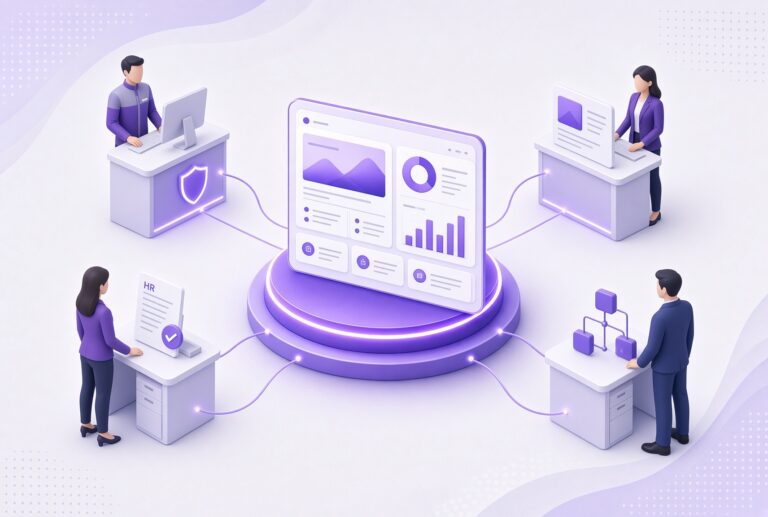
Modern intranets are no longer static resource portals. Today’s solutions provide dynamic environments that immerse your workforce in the support they need to be more productive. These platforms bring together:
- Company news and announcements
- Internal communications
- Employee directories
- HR resources and workflows
- Knowledge bases
- Company policies
- Collaboration tools
SharePoint alone provides your team with an abundance of content. But a customized intranet platform shifts the focus to your people and what they need to be successful. You can use the technology to do much more than simply store files. You can build a cohesive employee experience.
SharePoint vs. Intranet: What’s the Real Difference?
A Microsoft 365 intranet solution combines the foundation of SharePoint with additional features and integrations. Think of SharePoint as a key ingredient and the intranet as a finished product. Here’s how they stack up in several important areas:
| SharePoint | Intranet | |
| Purpose and Scope | Content storage and collaboration | A complete experience for your employees |
| User Experience and Adoption | Functional and familiar due to the Microsoft roots | Designed for usability and engagement at scale |
| Governance and Administration | Requires you to manually set up and oversee | Built-in governance and structure |
| Customization and Branding | Limited without development | Fully branded, tailored experience |
| Employee Engagement Features | Minimal native engagement tools | News targeting, social features, and personalization |
| Implementation Effort | Requires an internal build and governance model | Pre-configured structure accelerates deployment |
| Ownership Model | IT-Driven | Business + IT aligned |
| Scalability | Depends on governance maturity | Designed for enterprise scale |
| Risk (Adoption + Sprawl) | Higher without structure | Mitigated with built-in governance |
While SharePoint is a solid start, a fully customized solution is simply better in all of the ways that really count. When evaluating SharePoint vs. intranet options, the question is whether you want a tool or a complete solution.
Why Enterprises Can’t Rely on SharePoint Alone
SharePoint is packed with useful features. However, if your organization tries to use it as a standalone intranet solution, you are going to run into challenges like:
- Low employee adoption
- Poor or inconsistent user experiences
- Content sprawl
- A general lack of governance
- Limited engagement features
- High IT maintenance costs
SharePoint requires extensive configuration and customization to function as a true intranet. Without that, employees often:
- Avoid using SharePoint altogether
- Rely on email or other tools
- Struggle to find the information they need
Without intentional structure, governance, and user-focused design, SharePoint environments often fail to achieve expected adoption and ROI.
To deliver meaningful business outcomes, such as improved communication efficiency, reduced IT overhead, and higher employee engagement, organizations must extend SharePoint beyond its default configuration.
What a Modern Intranet Built on SharePoint Looks Like
Modern intranets built on SharePoint extend the platform with additional layers of structure, governance, and user experience—turning a content repository into a true digital workplace.
Modern intranet providers like hubley offer pre-configured solutions that accelerate this transformation while reducing internal IT effort. With hubley, you’ll gain access to capabilities such as:
- Targeted Communications & Audience-Based Notifications: Deliver updates to the right audiences at the right times
- Mobile Employee App: Keep employees in the loop while they are on the go with an accessible app
- Personalization & Culture Tools: Customize the experience to strengthen company culture
- In-Depth User Analytics & Engagement Insights: See who is interacting with your content so you can make the experience better
- Pre-Built Design Templates: Take advantage of templates to polish the intranet experience
- Governance Controls: Maintain oversight of content and resources so that outdated materials are kept out of circulation
Our solutions seamlessly integrate with Teams, OneDrive, HRIS platforms, and more.
How to Know Which Approach Is Right for Your Organization
Not sure whether to go with a basic SharePoint setup or something more sophisticated? Here are some signs it’s time for an upgrade:
- Employee adoption and engagement are low
- Communication between departments remains painfully siloed
- There is no mobile accessibility for deskless workers
- Branding and governance are inconsistent
Getting started with SharePoint is far easier when you choose an experienced implementation partner. With hubley, you’ll unlock maximum benefits and a condensed time to value. Mid-to-large enterprises with 500+ employees will benefit the most from teaming up with hubley.
The hubley Advantage: Enterprise Intranet, Your Way
Organizations that choose to extend SharePoint typically look for solutions that reduce implementation time, improve governance, and deliver a better out-of-the-box user experience. hubley’s approach is designed to accelerate intranet deployment while aligning with Microsoft 365 architecture and security standards.
Additionally, hubley is SOC 2 certified and aligned with Microsoft’s security posture. Our development process is user-focused, and we apply real user feedback to shape new features.
Explore how modern intranet solutions built on SharePoint can accelerate adoption, improve communication, and deliver stronger ROI across your organization. Request a hubley demo!