
Improve SharePoint Search With AI-Powered SearchHub
Search across SharePoint, Teams and OneDrive then turn trusted company knowledge into cited answers, summaries and next steps.



Built for the Microsoft 365 Ecosystem
One search layer. All the places work happens.
 SharePoint
 Teams
Teams OneDrive
Search Management
Monitor, manage, and continuously improve search
Give intranet administrators full control over search quality, query performance, and content discoverability through a unified control panel.
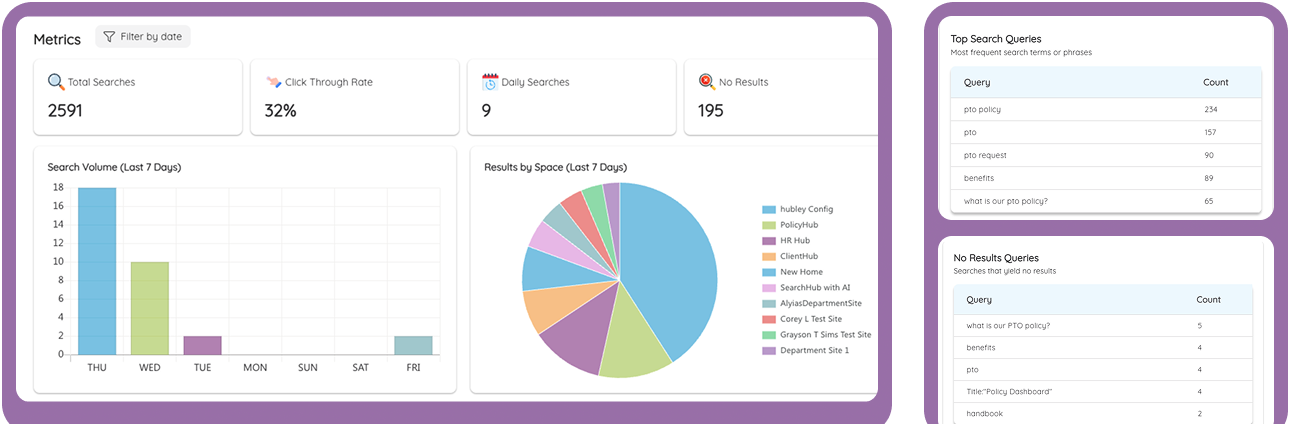
Analytics Dashboard
Track every search signal
Track overall search volume, popular queries, click-through rates, and findability metrics segmentable by internal department.
AI Recommendation Engine
AI Insights & Recommendations
AI suggests Best Bets, flags missing content, identifies popular content. Show recommendation cards with action buttons.

Curation
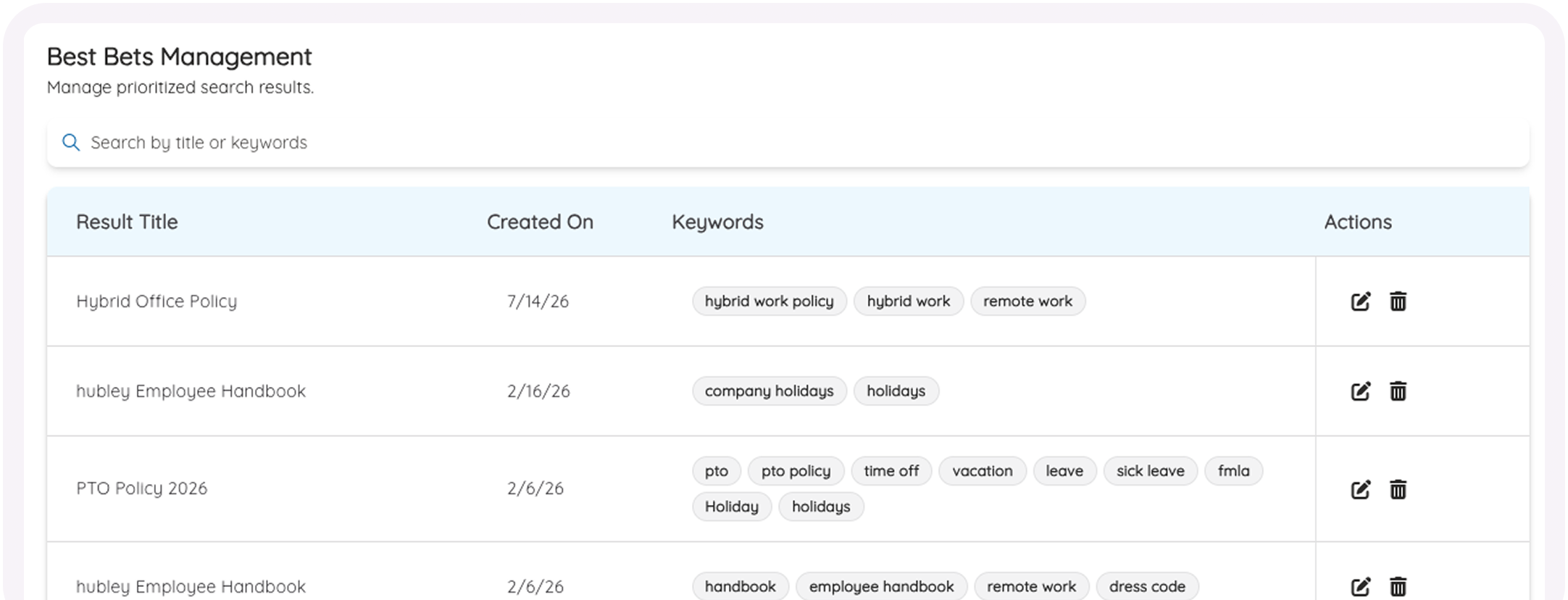
Best Bets Management
Create and manage prioritized search results pinned to specific keywords. Show a table with keywords and actions.
Configuration
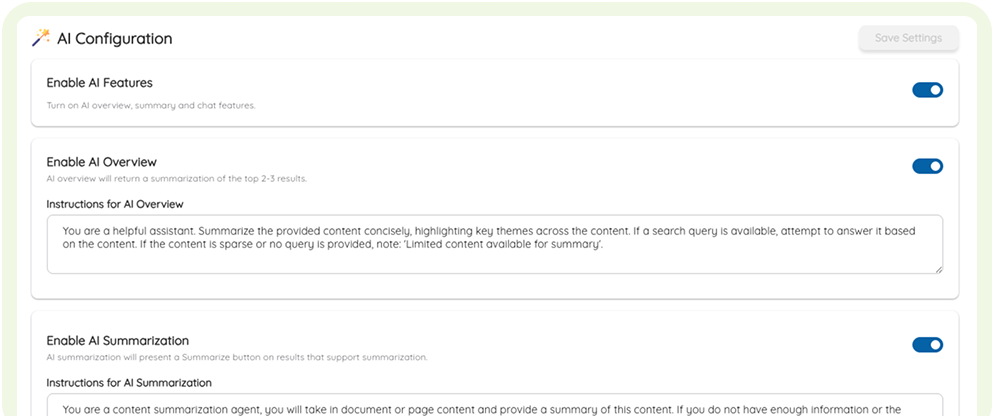
AI Configuration
Enable or disable AI features like Overview, Summarization, and smart suggestions with simple toggle controls.
A Better Search Loop
From a question to a confident decision.
Search Hub keeps the answer, evidence and next action together, so employees move forward without opening ten tabs.

Search naturally
Ask in plain language across all connected content.

Understand the answer
Read a concise AI overview with visible source references.

Take the next action
Summarize, review FAQs or keep asking in contextual chat.

Conversational Discovery
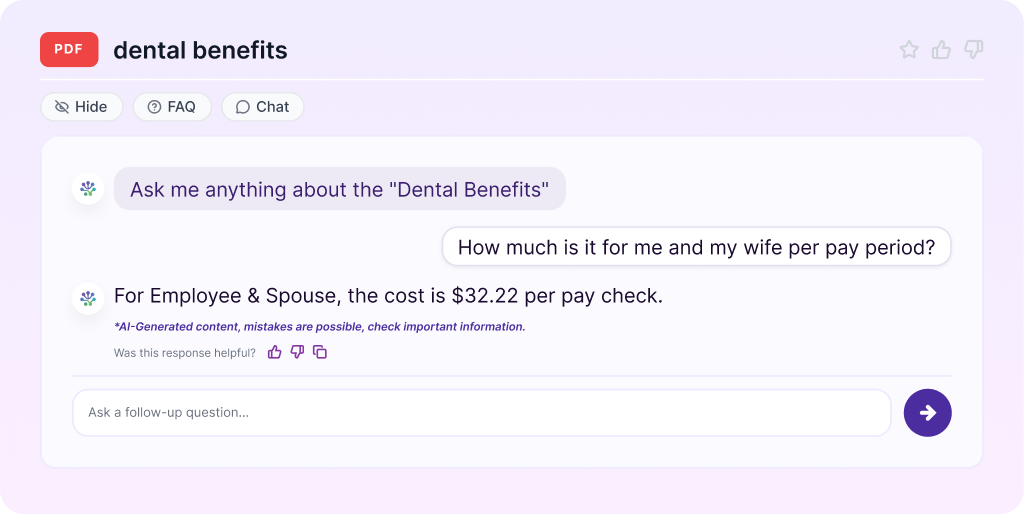
Doc Chat
Ask questions, clarify terms, and request translations directly inside any file.
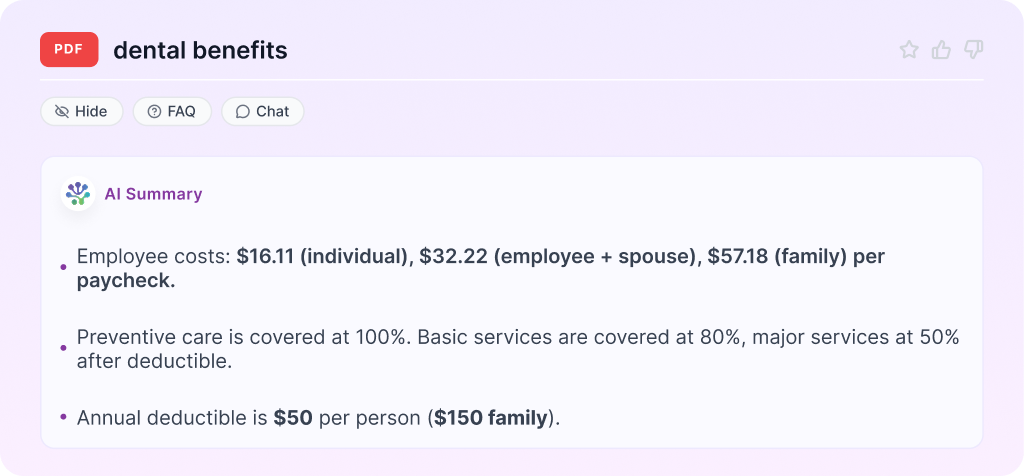
Unified Clarity
Document Summaries
Turn long documents into clean, actionable summaries with one-click clarity.
AI-Powered Features
Unlock the power of AI across your intranet
Experience enterprise-grade artificial intelligence natively integrated with your files, policies, databases, and collaboration spaces.
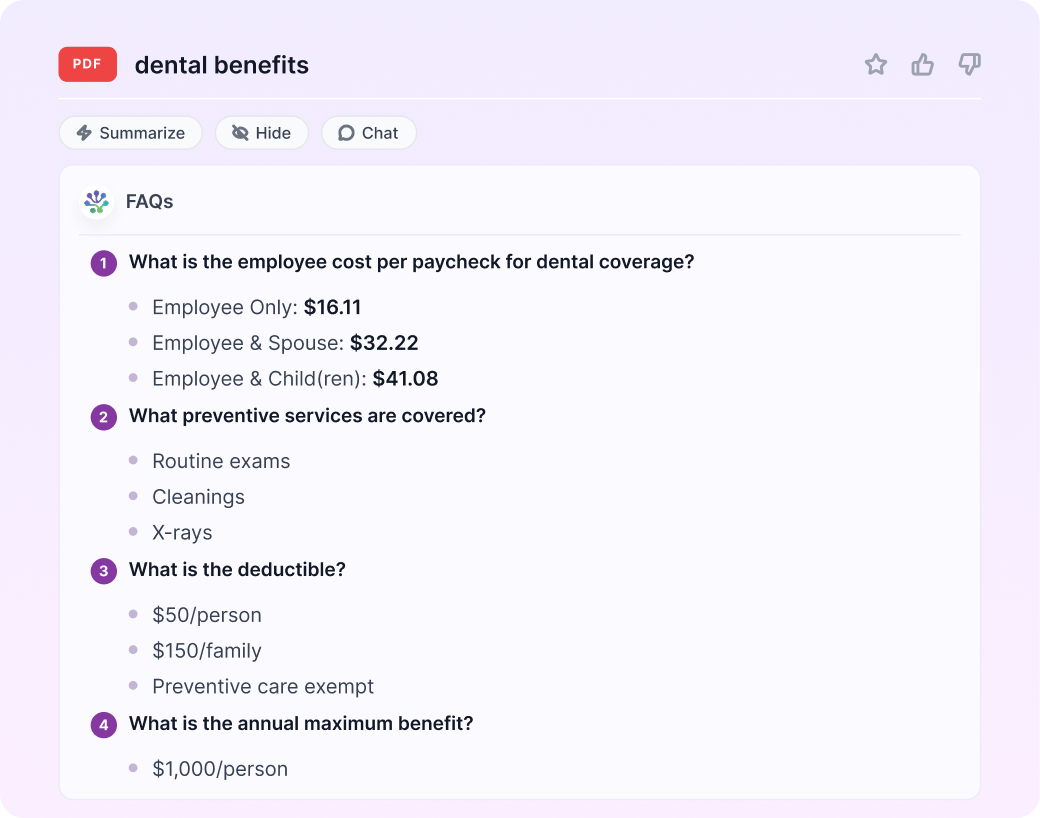
Knowledge Synthesis
FAQs Generation
Convert messy knowledge bases into clean, responsive FAQ accordions instantly.


The right answer, for the right person.
Search Hub is designed around the access model your organization already uses. AI can help employees understand what they are allowed to see—without turning hidden knowledge into public knowledge.


Permission-aware results
Every employee sees results aligned to their existing Microsoft access.

Source-backed AI
Answers keep the original references visible for verification and deeper reading.

Microsoft 365 native
Search across the content ecosystem teams already use every day.

Governed experience
Keep enterprise search focused, transparent and ready for admin oversight.

Built to Support Every Role Across the Organization
-
IT Administrators
Easily configure custom directories and search parameters without any development.
-
Content Owners
Instantly surface important resources and pin 'Best Bets' to top search spots.
-
Employees
Get straight to the answers they need, decreasing onboarding time.
-
HR & Compliance
Ensure policy documents and handbook compliance are readily discoverable.


Ready to Find What Your Team Already Knows?
Turn scattered knowledge into fast, trusted answers.
See how Search Hub fits your Microsoft 365 environment, permissions and employee search habits.
- A walkthrough tailored to your content landscape
- A practical view of AI answers, filters and actions
- Time to cover security and permission questions
