
Team Collaboration Software Built for Microsoft 365
hubley turns SharePoint into a Microsoft 365-native intranet where teams find people, share documents, and get work done in one connected space.
Request a Demo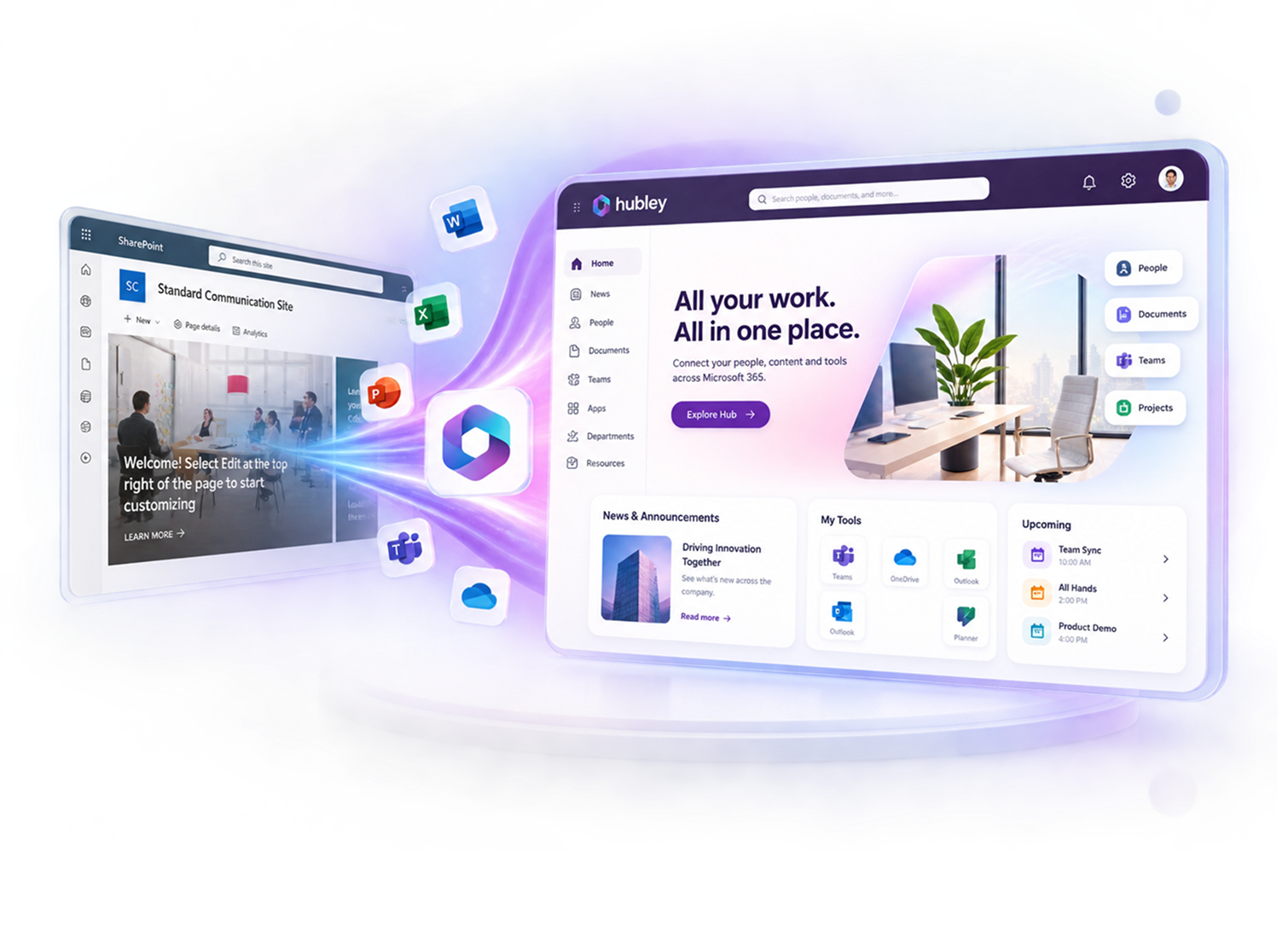
Gold Partner
Microsoft

Built On
Microsoft 365

Inc. 5000
3 times consecutive

Why Organizations Invest in Team Collaboration Software
Whether you're in IT, comms, HR, or leadership, hubley gives your team a shared foundation.
 IT: Deploys in your Microsoft 365 tenant with centralized permissions
- Comms and HR: Shared spaces keep departments aligned without extra tools
- Ops and Project Leads: Dedicated spaces for projects, docs, and updates
- Leadership: Less duplicated work, faster decisions across the org
- Knowledge Retention: Preserve institutional knowledge and make expertise discoverable

Team Collaboration Software That Works Inside Microsoft 365
Purpose-built tools that help employees share knowledge, find resources, manage projects, and stay connected.
Give Every Team and Project a Home
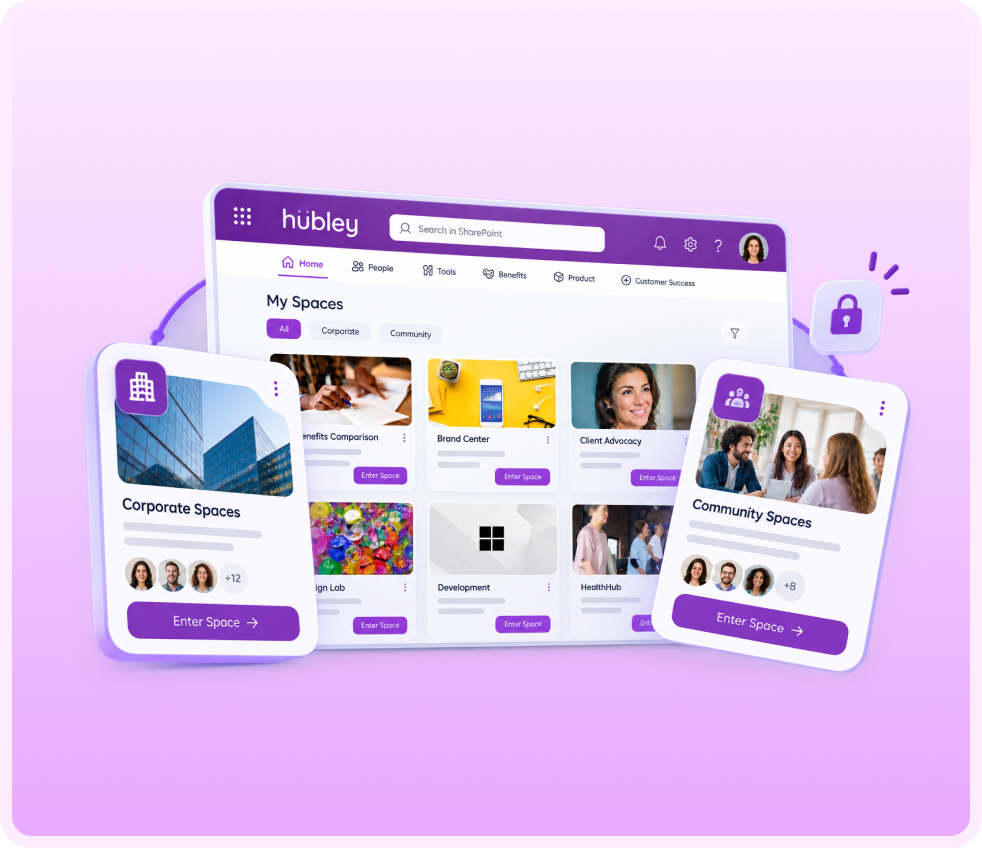
hubley Spaces makes it simple to create, find, and manage dedicated workspaces across your organization.
Corporate Spaces
Set up corporate spaces for departments, projects, and private team collaboration.
Community Spaces
Build community spaces around shared interests and engagement initiatives.
Access Controls
Manage permissions with simplified, built-in access controls.
Search Across Your Entire Digital Workplace
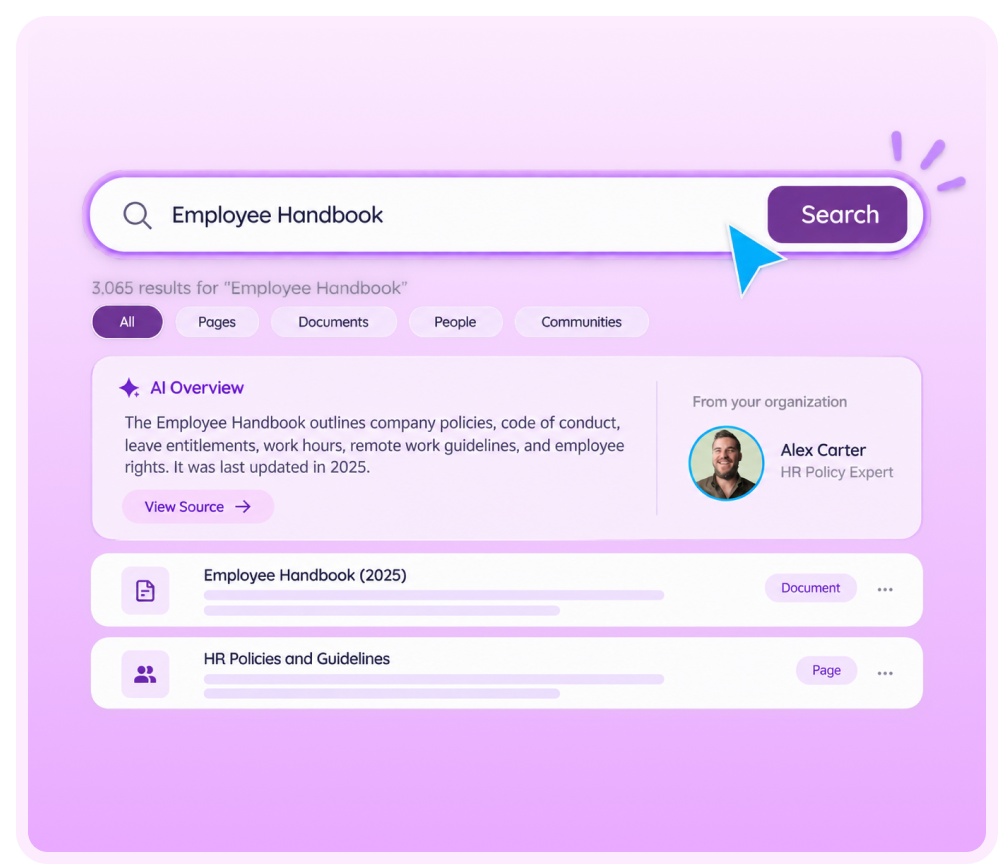
SearchHub gives every team member one place to search across the entire intranet, with AI doing the work.
Find Everything
Find documents, people, policies, projects, communities, and news.
AI Answers
Surface answers instead of links. Discover institutional knowledge faster.
Search Analytics
Identify subject matter experts and understand search behavior through analytics.
Collect What You Need Without the Back and Forth
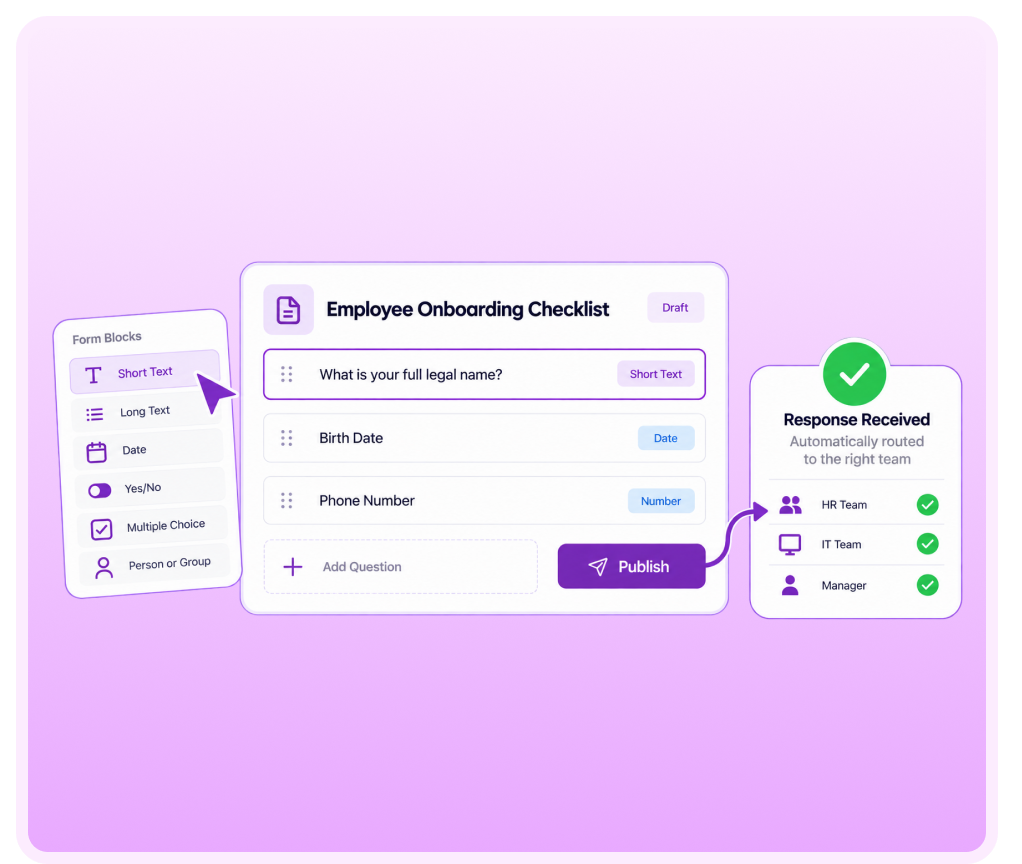
FormsHub gives teams a straightforward way to build forms and collect data across the organization.
- Build custom forms for any team or workflow
- Route responses automatically so nothing sits waiting
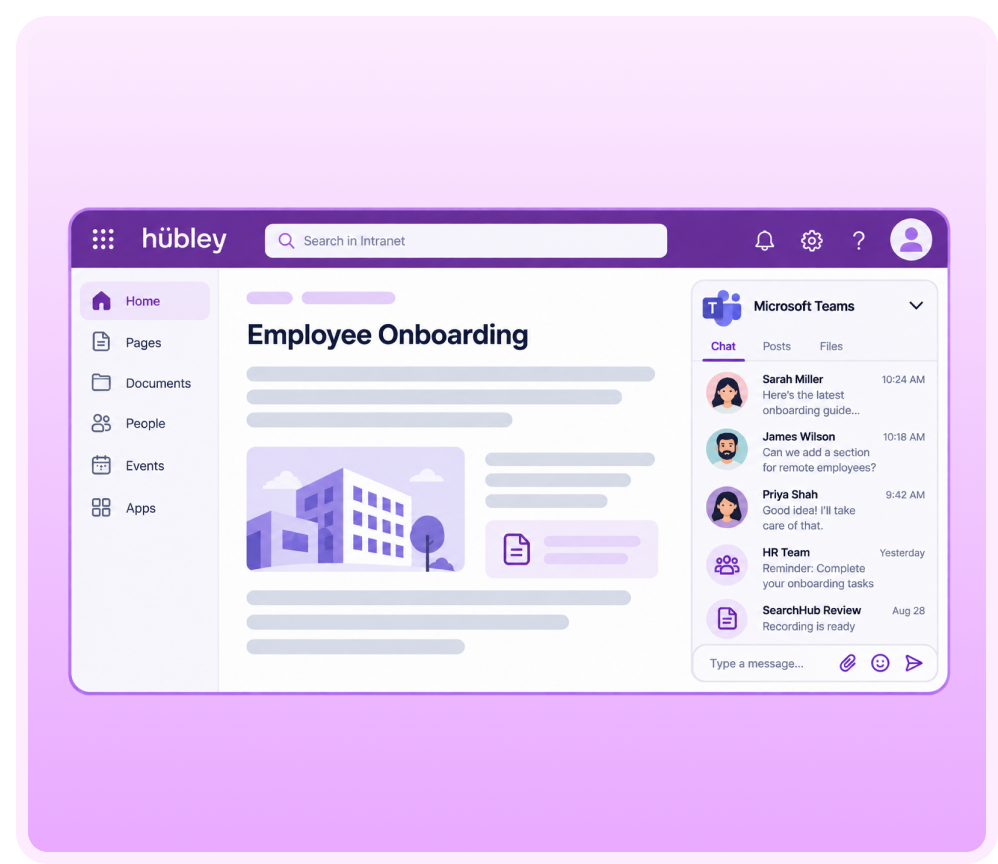
Bring Microsoft Teams Chat Right into the Intranet
Teams Feed embeds Microsoft Teams conversations directly into any hubley page.
- Set up a Teams chat or feed on any page your team uses
- Keep conversations connected to the content they're about
Built for Microsoft 365 Teams
Unlike standalone collaboration platforms, hubley enhances the Microsoft tools employees already use every day.

Extends SharePoint
Extends SharePoint instead of replacing it. Integrates with Microsoft Teams.

Permissions
Leverages existing Microsoft permissions. Supports organizational governance requirements.

Content Security
Keeps content inside your Microsoft 365 tenant.

Reduce Sprawl
Reduces platform sprawl and software adoption challenges.
AI That Works Alongside Every Team
AI already works alongside your team to make collaboration smarter.
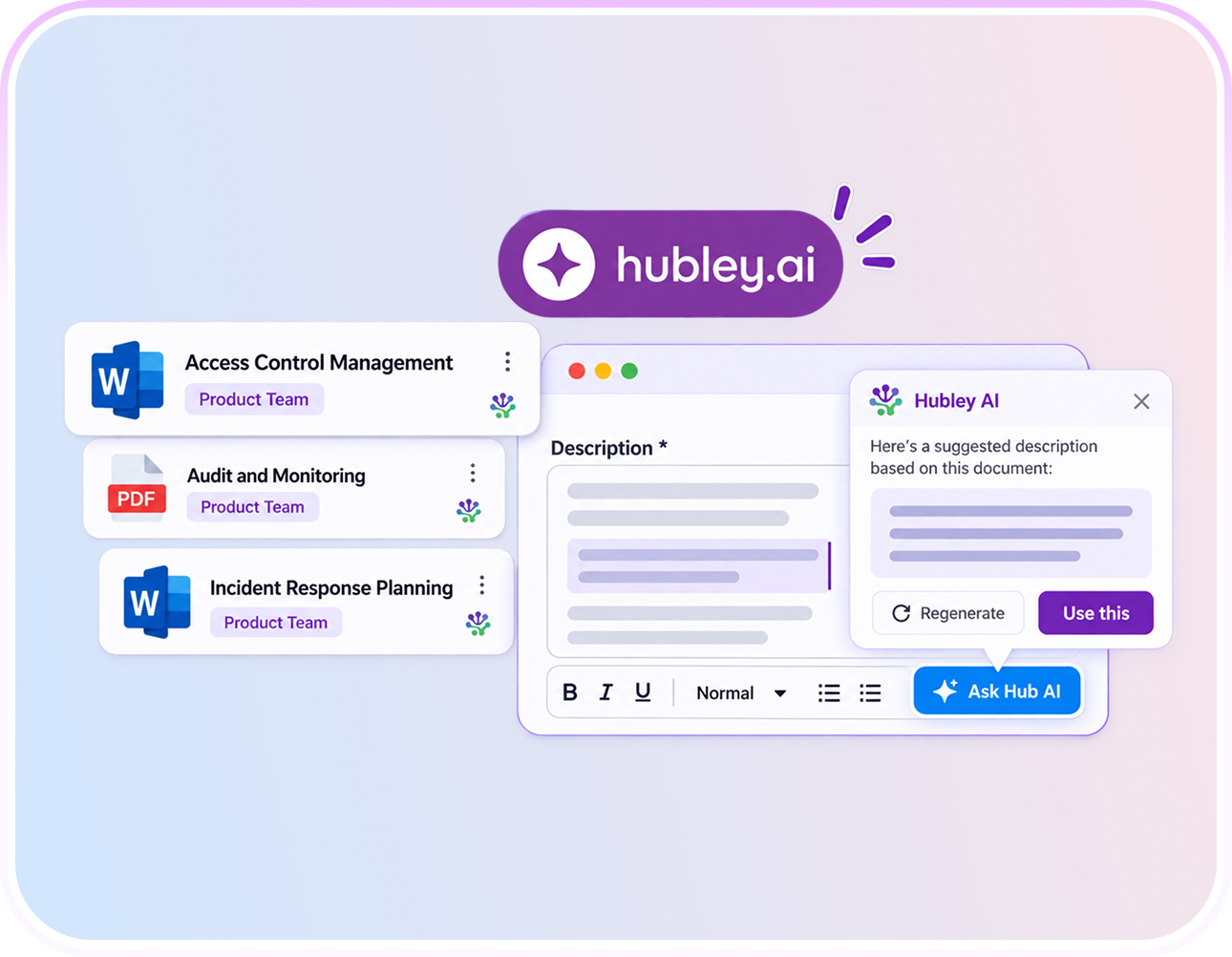
- Chat with documents for instant answers — no digging through folders.
- AI Writing Assistant helps teams draft and polish content together.
- Bots handle routine questions, grounded in your own intranet data.
- Analytics reveal knowledge gaps so they get fixed fast.
Hundreds of organizations trust hubley to
enhance their collaboration.













Connect New Hires to Their Team from Day One
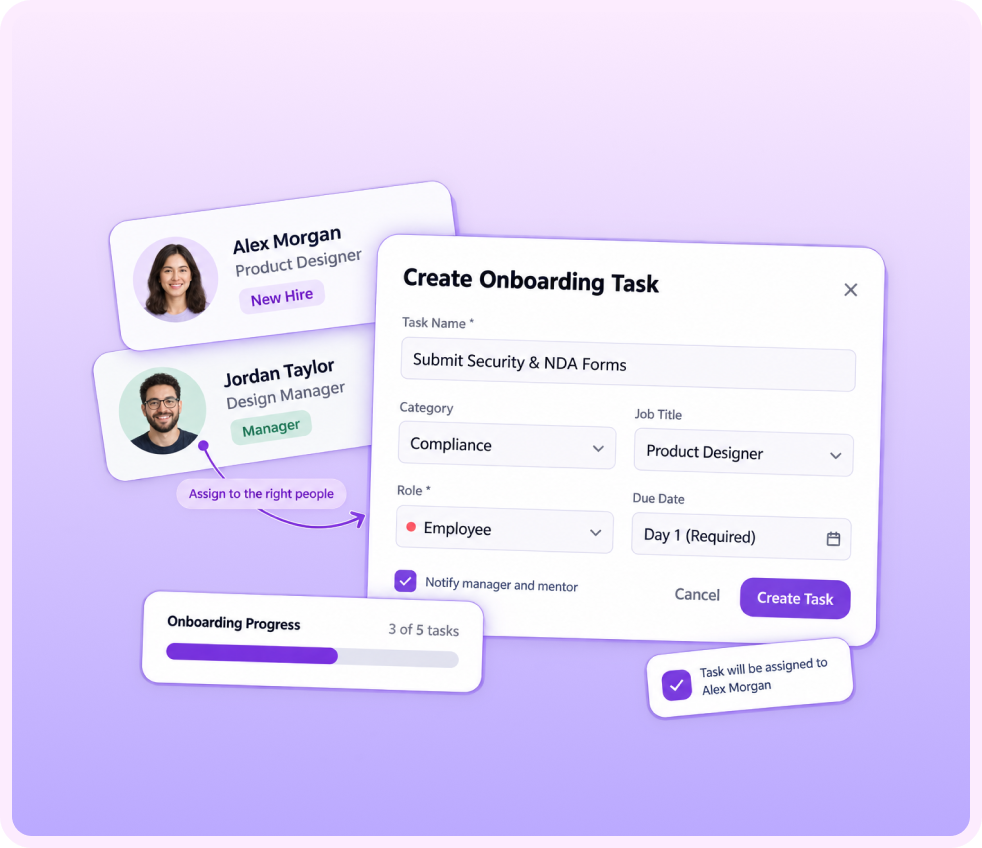
OnboardingHub gives new employees a clear path to their team, their tasks, and the people who can help.
- Automatically assign tasks to new hires, managers, and peer mentors
- Apply job role templates so every onboarding journey fits the role
- Track progress so managers know exactly where new hires stand

Keep Every Team Working from the Same Playbook
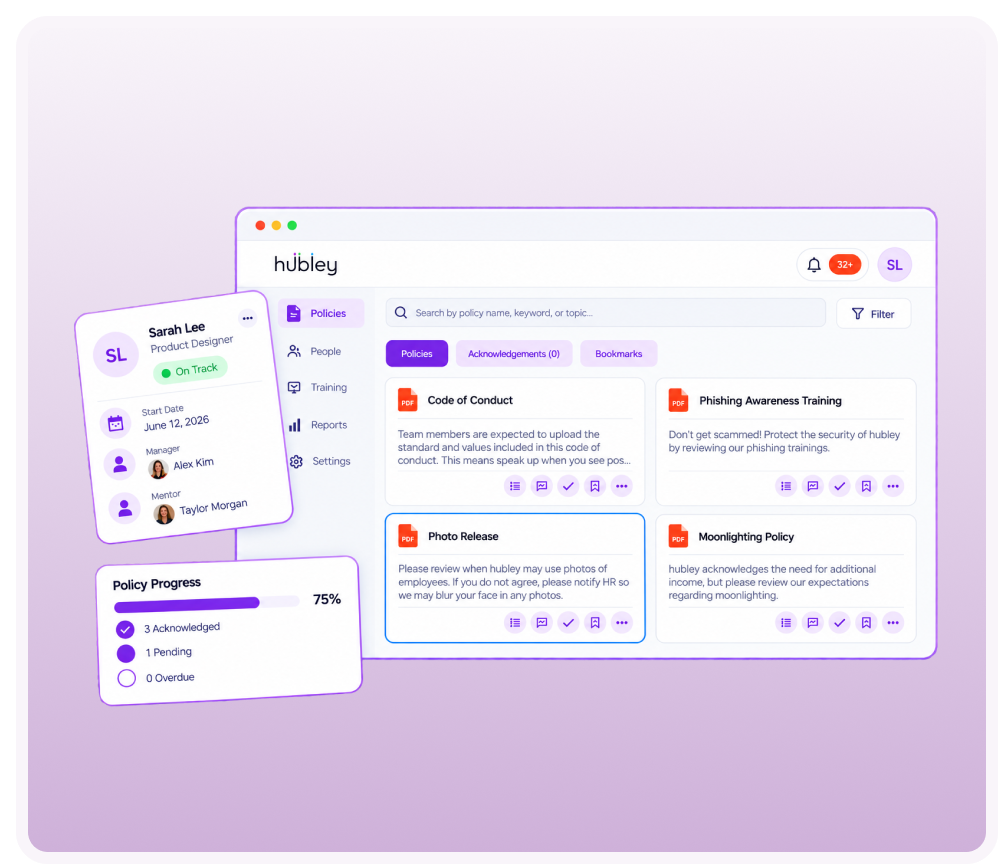
hubley's PolicyHub gives departments a shared space to collaborate on policies and documentation, so nothing gets out of sync.
- Collaborate on documents and updates directly within PolicyHub
- Create logs to track acknowledgements across teams
- Send reminders to keep everyone on the same page


Reconnect With Anyone in the Organization
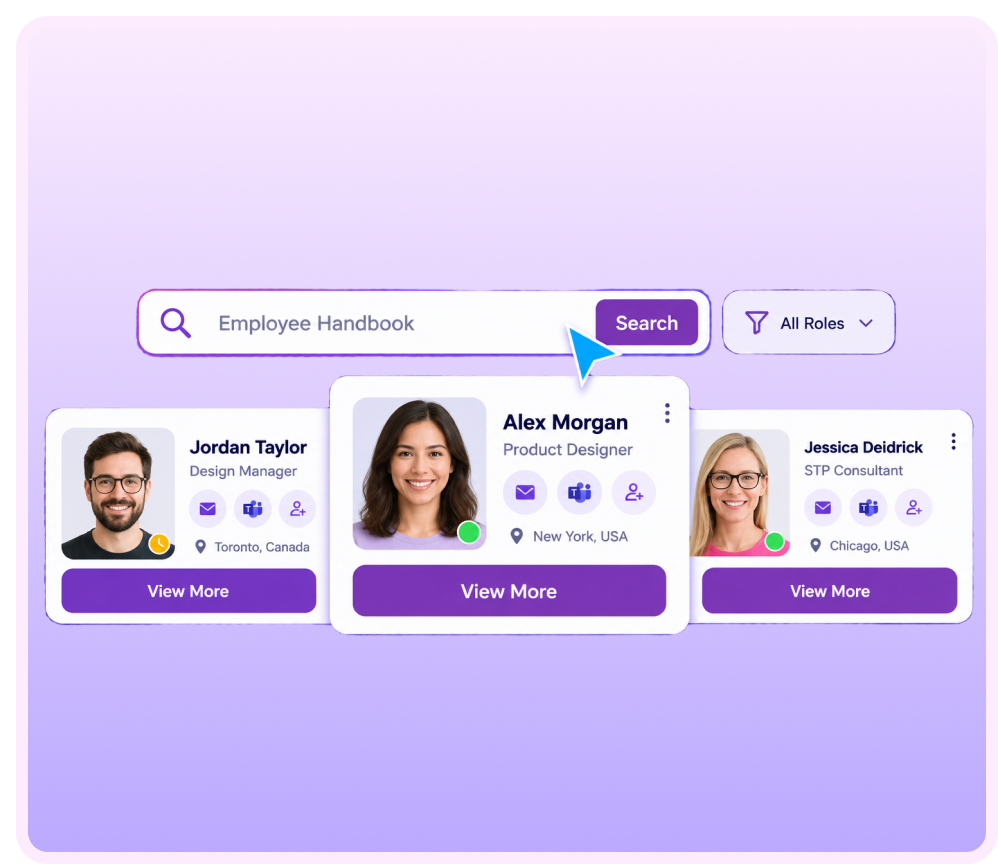
People Finder makes it easy to track down a colleague, no matter how big your organization gets.
Staff Directory
Search your company's staff directory from any page.
Find by Role
Find people by name, role, department, or location.
Quick Connect
Reconnect quickly with someone you've met before.
See How Your Organization Actually Connects
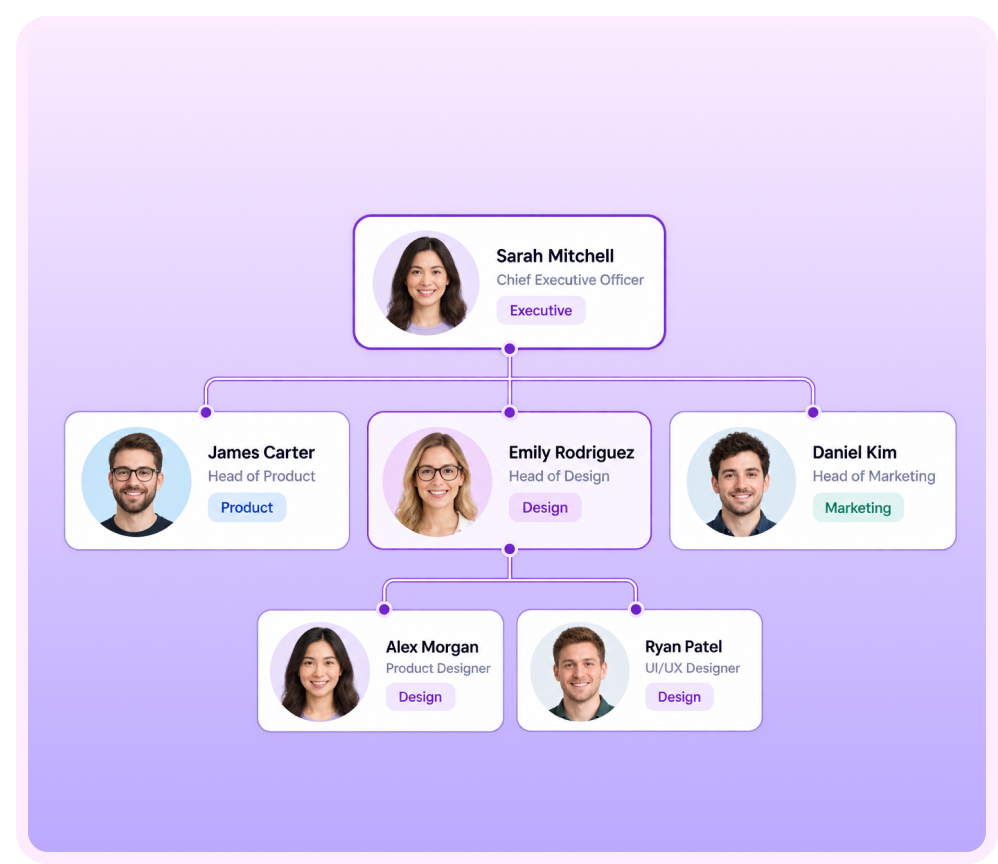
hubley's OrgChart replaces static charts with a dynamic, always-current view of your organization.
- Automatically updated organizational and departmental relationships
- Illustrate reporting structure and hierarchy at a glance
Why Organizations Partner with hubley
Not just another tool. A platform built for adoption, connection, and results.

One Connected System
Spaces, chat, forms, and search all live inside the Microsoft 365 tenant you already use.

Faster to Adopt
Built around how teams already work, so people don't need convincing to use it.

Shaped by Your Organization
Spaces, permissions, and templates flex to match how your teams are structured.

Visibility Into What's Working
Analytics show real usage patterns, not just page views.

A Team Behind Your Team
Every client gets a dedicated Customer Success Manager through hubley Green.
hubley transformed communication and engagement across our organization. Associates are more connected, feedback drives improvements, and the implementation team made the process smooth and collaborative. I'd absolutely recommend hubley to any organization looking for an engaging, user-friendly intranet.

Matt F.
Curriculum Manager | Individual & Family Services
We couldn't be happier about our hubley intranet site. It is so intuitive, and our employees have really taken to it. Folks are having fun with polls and contributing news to share, and the site is proving instrumental in bringing our four offices closer together as one team.
Karla D.
Marketing and Communications Manager
hubley made our tight go-live timeline stress-free with intuitive lookbook templates and an amazing success team. Their guidance and examples simplified the process. We're thrilled with the results!
Daniel S.
Pharmacy Success Manager
Ready to Bring Your Teams Together?
Get a guided walkthrough of hubley's collaboration features and see how your teams can work together in one connected space.