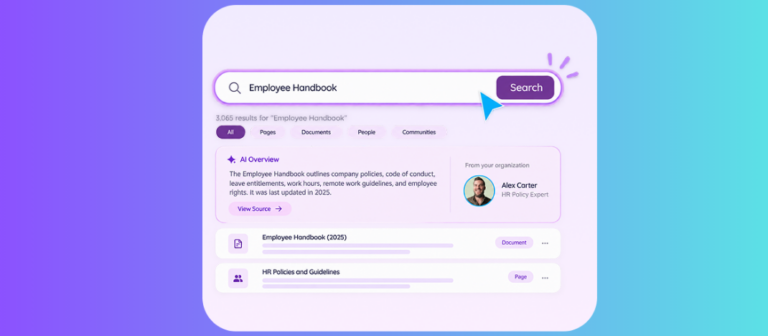
AI tools like Microsoft 365 Copilot, ChatGPT Enterprise, Claude, and Gemini Enterprise answer questions using whatever data the requesting user can already access. They do not add new security restrictions of their own. Any existing gap in permissions, sharing settings, or content labeling becomes something AI can surface, summarize, and return to anyone who holds technical access. Most organizations, therefore, need an AI readiness assessment before a broad rollout. The assessment checks who can see what, how content is labeled, and where oversharing already occurs.
Why AI Readiness Is a Data Problem, Not a Software Problem
Most companies approach an AI rollout as they would a software rollout. They select a tool, assign licenses, and schedule training. This sequence overlooks the central risk.
AI assistants do not create fresh access controls. They inherit the permissions and sharing rules already active in the environment. A sensitive HR file that has remained in an overshared folder for years may surface only rarely in ordinary searches. An AI assistant surfaces it the moment a related question arises, and it presents the content clearly and at speed.
Gartner projects that by 2027, 60 percent of organizations will fail to realize the value they expected from AI initiatives because of weak data governance frameworks. The AI models themselves usually perform as designed. The data environment that feeds them frequently does not.
What Actually Causes AI Oversharing?
Several recurring configuration patterns produce oversharing in Microsoft 365 and SharePoint environments. These patterns existed long before AI tools appeared. AI simply makes their consequences immediate and visible.
- Site or folder permissions are set to “everyone in the organization” by default, often from provisioning decisions made years earlier that no one revisited.
- Sharing links created with “anyone with the link” scope instead of limits tied to specific people or groups.
- Broken permission inheritance, where the access granted to a folder no longer matches the settings shown on the parent site.
- “Everyone except external users” sharing options that grant wider access than their name suggests.
- Sensitive content stored without any sensitivity label or classification, so nothing blocks it from appearing in AI responses.
None of these issues originated with AI. They represent governance debt that AI now exposes at scale.
Does This Only Apply to Microsoft 365 Copilot?
The same permission inheritance risk appears with other enterprise AI tools. ChatGPT Enterprise, Claude, and Gemini Enterprise all connect to Microsoft 365 data through connectors or protocols that rely on the signed-in user’s existing Microsoft Graph permissions. They add no extra restrictions of their own.
Microsoft’s published guidance for Copilot deployments, the Pilot Deploy Operate framework, instructs organizations to validate permissions and remediate oversharing before they expand use. The same order of operations applies to any AI tool that draws on SharePoint, OneDrive, or Outlook.
What Should an AI Readiness Assessment Actually Check?
A real readiness assessment examines security, governance, metadata, and content accuracy.
- Security checks reveal who can access what right now. Teams pull current permission reports from SharePoint and Microsoft 365, locate broad “everyone” links, and identify content that lacks sensitivity labels.
- Governance reviews address ownership and content currency. Sites without active owners and documents that sit untouched create conditions where AI tools pull from stale or abandoned material.
- Metadata and structure determine whether AI tools can locate and interpret content correctly. Inconsistent naming conventions and missing tags reduce the reliability of AI summaries and answers.
- Content accuracy and audit processes catch factual errors and contradictions before AI tools rely on them.
Why Inaccurate or Conflicting Content Undermines AI Tools
AI tools generate every answer from the data they retrieve. When source content contains errors, outdated facts, or direct contradictions, those flaws transfer directly into the AI output.
An employee who asks for the current vacation policy may receive details drawn from a version that has not been updated in two years. Two project briefs stored in separate libraries that list different deadlines can cause the AI to present both versions or to synthesize an inaccurate compromise between them.
Regular content reviews and structured audit cycles identify these problems at the source. Teams sample high-value documents, compare duplicate or versioned files across libraries, and correct or remove conflicting material. Organizations that omit these reviews allow AI tools to amplify existing data quality issues across the business rather than reduce them.
How hubley Supports AI Readiness Differently
hubley conducts AI readiness assessments for organizations that use SharePoint and Microsoft 365. The assessments cover permission analysis, content governance, including accuracy and consistency reviews, metadata evaluation, and recommendations for recurring content audit programs.
The work aligns with the deployment guidance Microsoft publishes for Copilot and with the corresponding guidance from other enterprise AI vendors. Teams combine reports from Microsoft Purview and Data Access Governance tools with direct examination of content samples. This combination locates accuracy problems and conflicting information that automated scans alone do not surface.
The assessment produces a prioritized plan. It identifies issues that require immediate correction. It sequences remaining improvements according to effort and business impact. It also specifies which tasks the internal team can sustain after the initial engagement.
Contact the hubley team to schedule an AI readiness assessment.