Why Choose a Native SharePoint Intranet Platform Built on Microsoft 365 over a Stand-alone Intranet?
When selecting an intranet platform, organizations face an important decision: choose a solution built natively on SharePoint and Microsoft 365, or select a standalone intranet that integrates with your M365 environment.
The difference is not just technical - it affects security, data control, AI readiness, ongoing maintenance, and how well your intranet evolves with Microsoft’s roadmap.
hubley Delivers Clear Advantages Over Standalone Intranets That Integrate
At hubley, a Microsoft Gold Partner, we provide features and functionality that complement and extend Microsoft SharePoint and Microsoft 365 to deliver a modern intranet platform directly in your M365 tenant. This native approach unlocks significant advantages that standalone or heavily integrated solutions simply cannot match.
In this article, we explain why a native SharePoint intranet outperforms standalone intranets that integrate with Microsoft 365 - and why hubley is the preferred choice for organizations that want both enterprise-grade security and a modern employee experience.
Here are the key reasons to choose a native SharePoint intranet like hubley.
1. Real-Time Microsoft Updates and Continuous hubley Enhancements
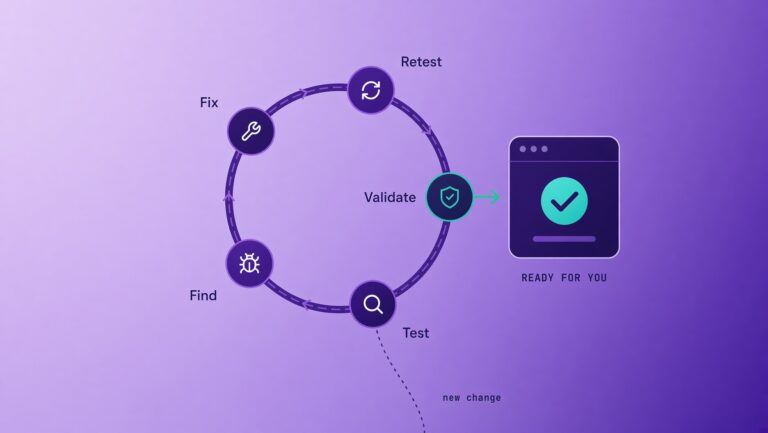
A native intranet automatically benefits from Microsoft’s frequent updates to SharePoint, Teams, Viva, Entra ID, security patches, and new M365 capabilities.
- No lag, compatibility issues, or feature gaps that often appear with integrated platforms.
- The hubley team delivers regular platform updates that build directly on the native SharePoint foundation, ensuring your intranet stays current and improves in lockstep with Microsoft.
- You gain innovation without the integration maintenance burden that standalone solutions require.
Result: Your teams always work with the most up-to-date, secure, and capable experience.
2. Robust Security and Complete Data Residency Within Your Microsoft 365 Tenant
With a native SharePoint intranet, all content, permissions, activity, and user data reside entirely inside your Microsoft 365 tenant. There is no external duplication or synchronization.
hubley leverages Microsoft’s enterprise-grade security framework, including:
- Advanced threat protection
- Data loss prevention (DLP)
- Encryption
- Sensitivity labels
- Compliance certifications (GDPR and more)
In contrast, standalone intranets typically store or sync data across multiple systems and vendor environments. This creates additional attack surfaces, complicates compliance, and requires extra governance.
With hubley, your data never leaves your Microsoft tenant. You maintain full control and inherit the security posture you already trust.
3. Maximized AI Capabilities with Unified Data in One Place
When your intranet data lives in the same secure Microsoft 365 tenant as your documents, Teams conversations, emails, and knowledge bases, you unlock the full potential of Microsoft AI.
- Richer grounding for Microsoft Copilot, Azure Foundry, and custom Copilot agents (via Copilot Studio).
- Better retrieval-augmented generation (RAG) across your organizational knowledge.
- hubley adds powerful in-platform AI tools - including SearchHub (AI-powered search across intranet, SharePoint, Teams, and OneDrive), AI Writing Assistant, KnowledgeHub, PolicyHub, and custom agents/bots - that respect all your existing M365 security and compliance controls.
Standalone solutions often fragment your data, requiring connectors, exports, or syncs that reduce AI accuracy and introduce complexity.
A native intranet like hubley keeps everything in one place, making AI more accurate, context-aware, and secure while enabling you to fully leverage Microsoft’s AI investments alongside hubley’s intelligent features.
4. Simplified Management and Lower Operational Complexity
Everything is managed from the Microsoft 365 admin centers and SharePoint admin tools you already use. There are no separate user directories, backup systems, update processes, or dashboards to maintain.
hubley’s 90+ features - including personalized dashboards (MyHub), omnichannel news and notifications, document management with OneDrive/Teams integration, events with Outlook sync, and real-time analytics - are designed as natural extensions of SharePoint and Teams.
- Content owners and admins work in a familiar environment.
- Governance, auditing, retention policies, and reporting become straightforward.
- Your IT team avoids the overhead of managing multiple platforms and integration points.
Data in one place means everything is easier to manage, govern, and scale.
5. Seamless Identity Management and Single Sign-On with Existing Microsoft 365 Infrastructure
hubley fully leverages your Microsoft Entra ID (Azure AD) setup, including single sign-on (SSO), multi-factor authentication, conditional access policies, and group-based permissions.
Users sign in once with their corporate credentials and experience consistent permissions across the intranet, SharePoint sites, Teams, OneDrive, and Viva. No separate logins, password fatigue, or sync delays.
Standalone intranets - even those supporting SSO - often require additional configuration, permission mapping, or experience minor sync issues. The native approach eliminates this friction entirely.
hubley Gives You the Best of Both Worlds
Many organizations face a false choice: use plain SharePoint (which can feel dated and limited) or adopt a standalone intranet that pulls data outside your Microsoft tenant.
hubley eliminates that compromise.
You get the best of both worlds:
- Full alignment with Microsoft best practices for security, compliance, identity (Entra ID), and governance
- All the benefits of a native solution: real-time updates, data residency in your tenant, and maximum AI readiness
- Plus a modern, beautiful, and highly usable experience powered by 90+ purpose-built features and widgets. Read More
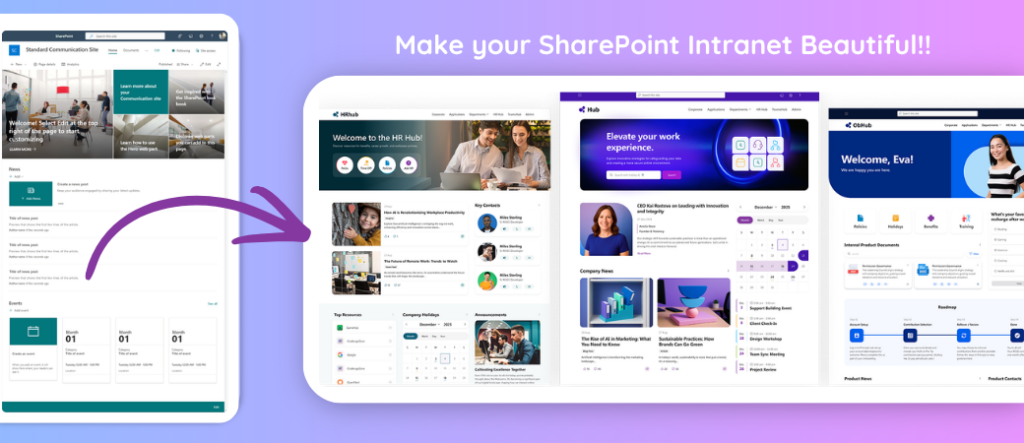
hubley fills the well-known gaps in standard SharePoint - clunky navigation, limited engagement tools, and a generic look - while keeping everything securely inside your M365 environment.
We make your intranet beautiful and take the “SharePointiness” out of SharePoint, so employees actually enjoy using it. At the same time, IT retains complete control, visibility, and the peace of mind that comes from a true native deployment.
It’s the best of both worlds: Microsoft-grade security and architecture, combined with a user experience that drives adoption and engagement.
Native SharePoint Intranet vs Standalone Intranet: Which Is Better for Microsoft 365 Organizations?
A clear comparison of native SharePoint intranets built with hubley versus standalone intranet platforms that require integration with Microsoft 365.
See why most organizations get better security, simpler management, stronger AI capabilities, and lower long-term costs by staying native.
| Aspect | Native SharePoint Intranet (Hubley) | Standalone Intranet with Integration |
|---|---|---|
| Data Location | All data stays inside your Microsoft 365 tenant No external data storage. Full compliance and data residency control. | Data stored in the vendor’s cloud or a separate system Often requires extra security reviews and data mapping. |
| Security & Compliance | Inherits Microsoft enterprise security & compliance SOC 2, ISO, HIPAA, and Microsoft Purview are ready with no extra configuration. | Requires a separate security and compliance evaluation Additional risk, audits, and potential gaps. |
| Microsoft Updates | Automatic access to Microsoft 365 updates and roadmap Benefits from new Microsoft features without extra work. | Manual or vendor-managed updates Potential delays and compatibility issues. |
| AI Readiness | Native support for Microsoft Copilot and Hubley Intelligence AI works directly within your intranet, using SharePoint content. | AI usually requires custom integration Limited or complex connection to Microsoft AI services. |
| Identity & SSO | Uses existing Microsoft Entra ID / Azure AD SSO No new accounts or logins required. | Separate identity management or complex SSO setup Extra user friction and admin work. |
| Management Complexity | Managed inside familiar Microsoft 365 admin centers Low overhead for existing SharePoint and M365 teams. | Separate admin portal and additional training required Higher ongoing management effort. |
| User Experience | Modern, intuitive experience that feels like Microsoft 365 High adoption with minimal training. | Often feels disconnected from Microsoft 365 tools Users experience context switching and lower engagement. |
| Long-Term Value | Maximizes your existing Microsoft 365 investment Lower total cost of ownership and better future-proofing. | Higher long-term costs from separate licensing and maintenance Ongoing integration and platform costs. |
hubley helps organizations build modern, intuitive SharePoint intranets on Microsoft 365 - taking the “SharePointiness” out of SharePoint while keeping everything native, secure, and AI-ready.
Why hubley Is the Preferred SharePoint-Native Intranet Platform
hubley is purpose-built as a modern intranet platform on SharePoint and Microsoft 365. We complement and extend what Microsoft provides out-of-the-box with engaging features, powerful AI, and omnichannel delivery (intranet + Teams + email + mobile employee app).
Organizations choose hubley because we deliver:
- Rapid implementation (typically 4–8 weeks)
- 90+ features focused on communication, knowledge, and engagement
- In-tenant AI that works where your people already work
- White-glove support through hubley Green
- A true single-pane-of-glass experience that maximizes ROI on your Microsoft 365 investment
If you want an intranet that feels like a natural, secure extension of your M365 environment - rather than another system to manage - hubley is the clear choice.
Ready to Build a Modern, Native Intranet in Your Microsoft 365 Tenant?
Choosing a native SharePoint intranet platform like hubley aligns your digital workplace with the security, identity, AI capabilities, and continuous innovation of Microsoft 365. Your data stays where it belongs, your teams get a better experience, and your organization gains a future-proof foundation.
Next steps:
- Visit hubley.com to explore features and AI capabilities
- Schedule a personalized demo tailored to your M365 environment
- Contact the hubley team to discuss how a native intranet can transform your workplace
Let hubley help you deliver the modern intranet your people deserve - built natively, secured by Microsoft, and designed to complement and extend everything you already have in SharePoint and M365.
Key Takeaways
Choosing a native SharePoint intranet platform like Hubley delivers clear advantages over standalone solutions:
- Your data stays securely inside your Microsoft 365 tenant — never duplicated or stored externally.
- You get real-time Microsoft updates plus regular Hubley enhancements with no integration lag.
- AI capabilities are maximized because all your data lives in one unified, governed environment.
- You inherit Microsoft’s enterprise security, compliance, and Entra ID identity infrastructure.
- hubley adds 90+ modern features and widgets that make your intranet beautiful and easy to use - removing the “SharePointiness” while staying fully aligned with Microsoft best practices.
Result: The best of both worlds - Microsoft-grade security and architecture combined with a modern, engaging employee experience that drives adoption.
hubley.com • Microsoft Gold Partner