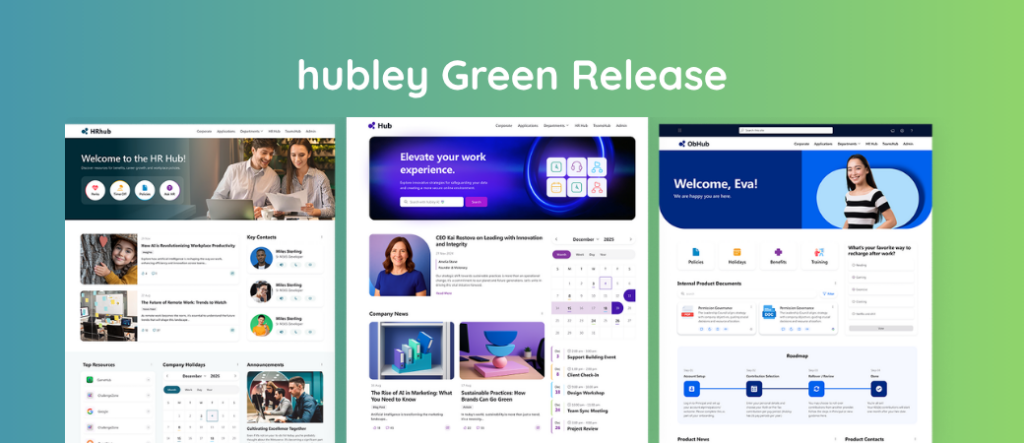
The hubley 1.34.0 Major Release intranet updates bring new ways to find knowledge, create employee communications, navigate your intranet, manage policies, and keep employees connected.
Released October 9, 2026, the quarterly release includes new features across hubley Core and hubley Intelligence, along with updates to several existing hubley experiences.
Here’s what’s new.
Introducing KnowledgeHub
Employees shouldn’t have to know where information is stored to find it.
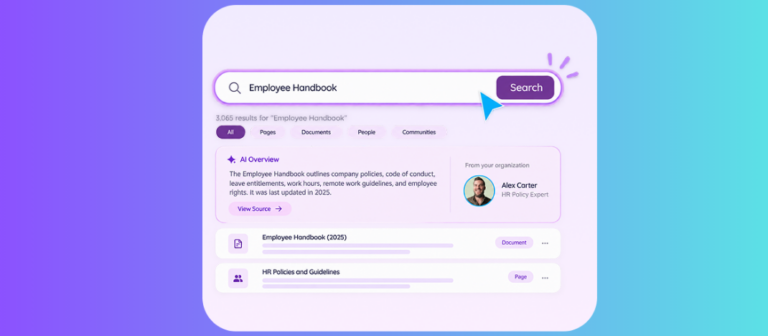
KnowledgeHub gives organizations a centralized destination for answers, resources, and organizational know-how. It brings important information together in one place designed to make knowledge easier to find, explore, and share.
For organizations trying to reduce information silos and give employees a clearer path to trusted resources, KnowledgeHub provides a new home for organizational knowledge within the hubley experience.
Interested in deploying KnowledgeHub? Contact the hubley team through hubley Connect to discuss your environment, confirm eligibility, and get started.
A Fresh Look for the hubley Actions Menu
The hubley Actions Menu has been refreshed with a cleaner, more modern experience while keeping familiar functionality close at hand.
The administrative dashboard serves as a central location for hubley Admins, Content Contributors, and Page Designers to access and manage hubley Actions.
It is available through the floating hubley h button in the bottom-right corner of the page, giving intranet managers quick access to the tools they need.
More Flexibility With New Mega Menu Layouts
Good intranet navigation should help employees get where they need to go without making them think too hard about where information lives.
The 1.34.0 release introduces two new Mega Menu layout options, giving site administrators more flexibility to create navigation that fits their organization and intranet design.
Admins can customize the menu structure, links, icons, images, and layouts through the hubley h button.
Whether employees are looking for resources, sites, or frequently used applications, the Mega Menu creates a clearer path to the destinations that matter most.
Write NewsHub Content Faster With hubley AI
Creating an employee communication often begins with the hardest part: the blank page.
The new NewsHub AI Writing Assistant brings hubley AI directly into the NewsHub editing experience. Content creators can use it to generate, refine, and improve newsletter content while they work.
That could mean starting a first draft, polishing an announcement, or finding a clearer way to communicate an important update.
Instead of moving between different writing tools and NewsHub, communicators can use AI from within the content creation experience itself.
Organizations that have not yet adopted the new NewsHub should note that it is available for Hubsite environments and requires a one-time Azure setup before it can be enabled. Contact the hubley team through hubley Connect to discuss your environment and eligibility.
Send NewsHub Communications Without Publishing Them to the Intranet
Not every employee communication needs to become intranet content.
NewsHub now includes an Email Only option, giving communicators another way to choose how an update reaches employees.
Organizations can use NewsHub to:
- Publish content to the intranet
- Send a communication by email
- Publish to the intranet and send by email
This gives internal communications teams more flexibility for company updates, targeted announcements, reminders, and other messages that may need a specific delivery method.
To use the new option, create a new page in NewsHub and select Email Only.
Generate Custom Images Within NewsHub
hubley Intelligence also introduces the NewsHub AI Image Generator.
Content creators can describe the visual they need and use AI to generate a custom image for their newsletter without leaving NewsHub.
The experience makes it easier to pair employee communications with relevant visuals, whether you’re creating imagery for an announcement or looking for something that better complements the story you’re telling.
New AI Features for PolicyHub+
Policy management isn’t finished when an employee checks a box acknowledging that they opened a document. Organizations may also need a better way to reinforce understanding.
This release adds two AI-powered capabilities to PolicyHub+.
AI Quiz Generator
The new AI Quiz Generator enables administrators to automatically create questions based on policy content.
Admins can provide custom instructions about what employees should understand, and PolicyHub+ generates relevant questions based on the policy.
The goal is to help organizations assess comprehension and reinforce important policy information without requiring administrators to manually create each quiz.
The AI Quiz Generator is available exclusively in the hubley Intelligence tier.
AI-Generated Policy FAQs
PolicyHub+ can also generate FAQs based on a policy’s content.
The feature identifies key topics and creates corresponding questions and answers, giving employees a quicker way to understand important information without searching through an entire policy every time they need an answer.
For lengthy or complex policies, FAQs provide an additional way to make the material easier to reference and understand.
This capability is also available exclusively with hubley Intelligence.
A Modernized hubley OrgChart
The hubley OrgChart has a new look.
The refreshed experience gives employees an interactive way to explore teams, colleagues, and reporting relationships throughout the organization.
The organizational structure is built from manager information in employee user profiles, helping employees understand how teams connect and making it easier to put faces to names.
Reuse hubley Calendar Settings Across Your Intranet
The Webpart Settings Configuration template is now available for hubley Calendar.
Instead of repeatedly applying the same configuration to Calendar webparts across the intranet, administrators can create settings they can reuse wherever needed.
This small administrative improvement makes it easier to maintain a consistent calendar experience across the intranet.
More Improvements Across hubley Core
Version 1.34.0 also includes enhancements to several existing hubley features.
Documents
Document browsing has been improved with enhanced paging, search, and folder navigation for larger libraries. Folder-level Share a Link and Copy Link options have also been added.
Pinned Documents
Users can now pin and browse folders within Pinned Documents.
IdeaHub
IdeaHub now includes moderation and approval functionality for submitted ideas. Organizations can also choose whether submitter information appears on idea cards while continuing to support anonymous submissions.
Celebrations
Organizations can customize the default message displayed within the Celebrations webpart. Likes and comments have also been enhanced to create a smoother social engagement experience.
Anniversaries
Added new sorting options to Monthly and Milestone views, and enhanced the Upcoming view to provide more consistent visibility into future anniversaries.
RSS Feed
Added additional news-style display layouts, with further refinements to Hero and Newspaper layouts, including card formatting, image sizing, description display, and configuration options.
Tabbed Cards
Tabbed Cards includes a new layout, plus additional card interactions and click options.
hubley Calendar
Accessibility improvements ensure that the full event date is announced on event cards. Event descriptions created from Outlook have also been enhanced to better preserve their original formatting.
Contacts
Updates improve accessibility, profile information display, card interactions, and layout consistency.
News Center
Enhancements address card sizing and loading, social interactions, pinned content, and layout behavior.
Key Highlights
Card sizing, content display, height alignment, and sorting controls have been refined for a cleaner and more consistent presentation.
News Feed
Image sizing and consistency have been improved within the Newspaper Horizontal layout, including presentation in smaller page sections.
Settings Manager
Settings management has been refined to provide more precise and consistent configuration updates.
A Release Focused on Finding, Creating, and Sharing Information
The 1.34.0 Major Release touches several parts of the employee experience.
KnowledgeHub gives organizations a new destination for bringing important knowledge together. NewsHub gains AI-assisted writing, image generation, and more flexible email delivery. PolicyHub+ introduces AI tools designed to support policy comprehension. Updates to navigation, OrgChart, Calendar, Documents, IdeaHub, and other hubley experiences continue to refine how employees find information and interact with their intranet.
Together, these updates give communications teams, HR, IT, content owners, and intranet administrators more ways to create and manage an employee experience built around the way their organization works.
Have Questions About hubley 1.34.0?
Some features in the release may require additional configuration, eligibility checks, or setup.
If you’d like help understanding what’s available in your environment, deploying KnowledgeHub, enabling the new NewsHub, or exploring the hubley Intelligence features included in this release, contact your hubley team through hubley Connect.
Our team can help you understand what the 1.34.0 release means for your intranet and determine the right next steps for your organization.