Release Summary:
New Features:
- hubley Lookbook: Pages and News Templates
- Comparison Tool
- Webpart Settings Configuration Templates
Feature Enhancements
- Page Copy Functionality in Intranet Pages Dashboard
- PTO Request Entry Filtering
- hubley Webpart Redesign Enhancements
hubley Lookbook: Pages and News Templates
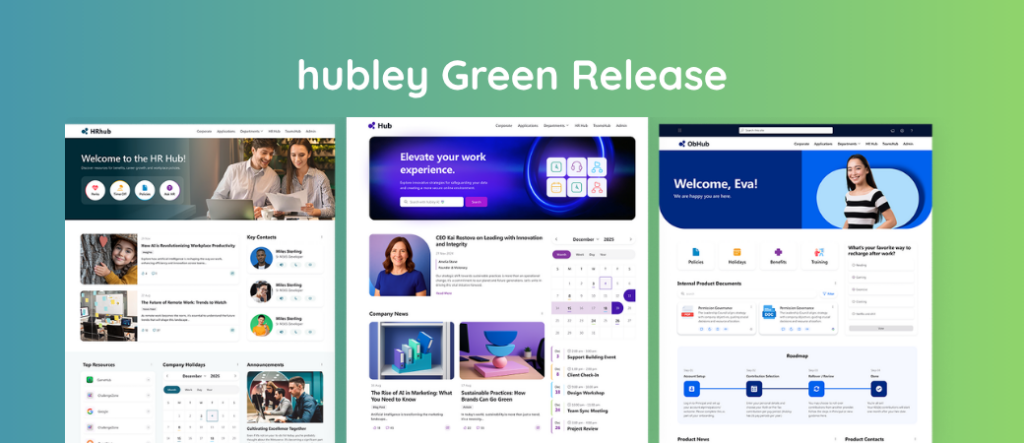
Meet the next evolution of the hubley Lookbook, now bigger, more flexible, and built to inspire. Building on last quarter’s Spaces templates, you can now access a full library of Space, Page, and News templates to create standout intranet experiences from end to end.
Browse a curated collection of layouts that blend style and functionality, whether you're launching a new Space, designing a polished page, or sharing timely updates through News. With easy previews and quick setup, creating high-quality, on-brand content has never been faster.
Dive into the Lookbook documentation to see how to get started.
Comparison Tool
Introducing the Comparison Tool, a smarter and more intuitive way to present information side by side.
Quickly compare groups, options, or offerings in a clean, modern layout that highlights key differences at a glance. Whether you're showcasing employee benefits, programs, or products, this feature simplifies complex information and helps users make confident decisions faster. Built with flexibility in mind, you can easily customize and create comparisons in minutes.
Check out the documentation for tips on building and customizing your first comparison.
Webpart Settings Configuration Templates
Say goodbye to repetitive setup. With Webpart Settings Configuration Templates, you can save, reuse, and scale your favorite designs across the intranet.
Create and manage reusable templates for webparts and headers to ensure consistent styling and layouts without starting from scratch every time. Build once, apply anywhere, and keep your content polished with minimal effort. This initial release includes support for a select group of webparts, including Contacts, Documents, My Documents, hubley News, My Links, and Quicklinks. Expanded coverage is coming in future updates!
Visit the documentation to learn how to create, edit, and apply templates.
Feature Enhancement
Page Copy Functionality in Intranet Pages Dashboard
The hubley "h" menu just got a major upgrade. Formerly the Site/Pages Dashboard, the newly redesigned Intranet Pages Dashboard delivers a more intuitive, streamlined experience for managing your content.
Navigation is simpler and streamlined to Intranet Pages, with the new Spaces dashboard serving as your central hub and a Global Spaces shortcut for quick access. Enhanced search and filtering help you find what you need faster, while the new Page Copy tool allows you to duplicate pages within a site or across the hub in just a few clicks.
These improvements make it easier to reuse content, maintain consistency, and save time across your intranet.
Explore the documentation to see everything new in the dashboard and how to use the Page Copy tool.
PTO Request Entry Filtering
The PTO Request webpart now makes it easier than ever for employees to see the PTO information that matters most to them. With automatic filtering based on user profile properties, your team gets a tailored PTO experience without any extra steps.
Perfect for larger organizations, this enhancement ensures PTO data is automatically segmented by Department, Job Title, or Office Location, so every user sees content relevant to their role or team. The result is clearer, more focused PTO views that save time and reduce clutter.
hubley Webpart Design Enhancements
We’ve rolled out a fresh wave of design updates across hubley webparts, bringing a more modern and cohesive look and feel to your intranet.
This release enhances everyday experiences with refreshed card designs, cleaner layouts, and expanded styling options. Updates span key webparts like News, Events, Celebrations, Leadership Messages, and Photo Feeds, along with improved calendar and event views for easier scanning and interaction.
You’ll also find greater flexibility with new color controls, layout options, and customization features to better match your brand and content needs.