
A Simpler, More Effective Intranet for Education
Faculty, staff, and administrators get one place for onboarding, events, and reporting, built natively on Microsoft 365 so IT doesn't have to manage another system.
Gold Partner
Microsoft

Built On
Microsoft 365

Inc. 5000
3 times consecutive
Faster Answers for Staff Who Don't Have Time to Dig
Between classes and meetings, staff need answers fast. hubley puts AI to work finding them instantly.
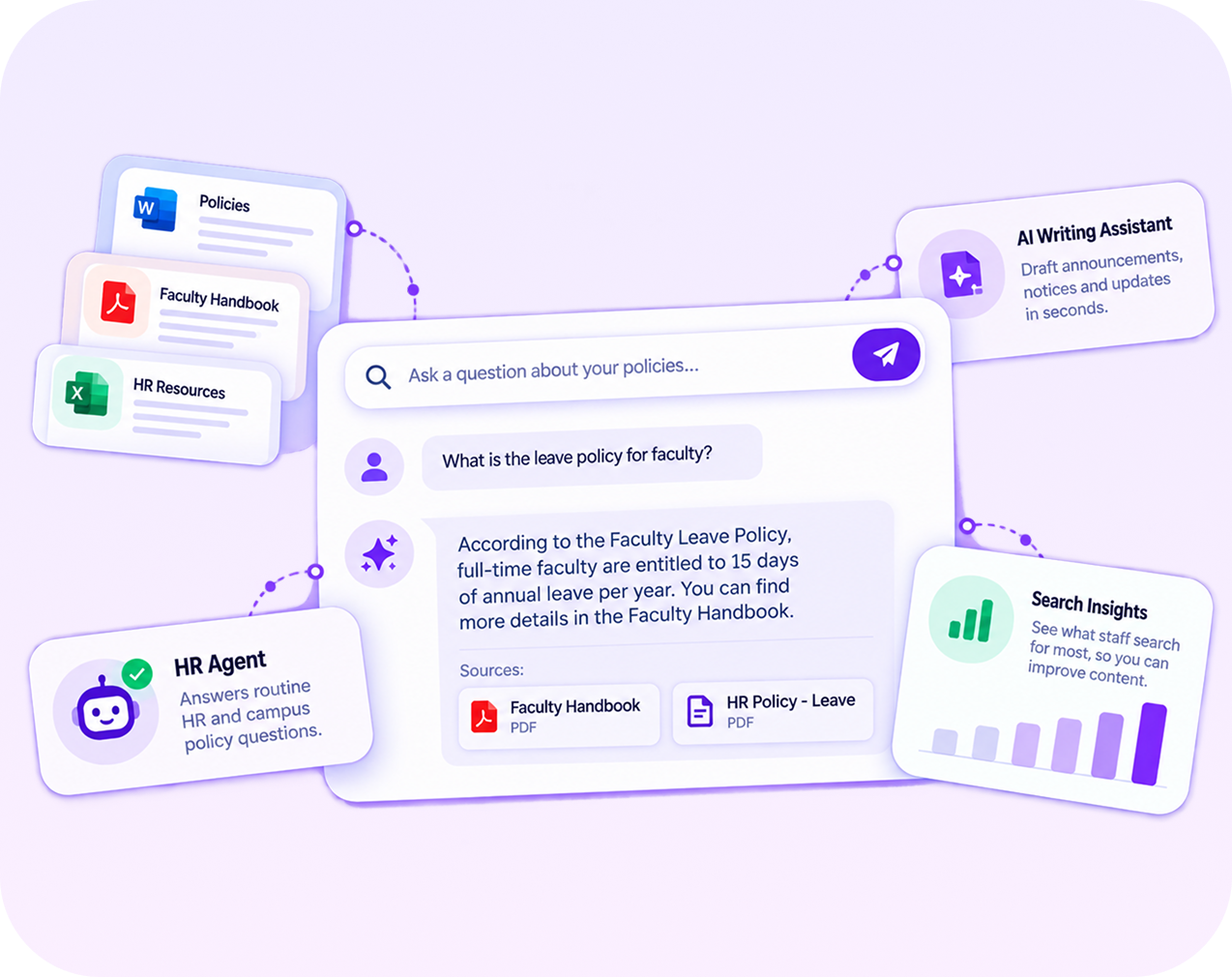

Chat with policy and procedure documents to get instant answers without digging through shared drives

AI Writing Assistant helps administrators and comms staff draft updates and notices faster

Agents and bots handle routine HR and campus policy questions, so staff spend less time searching and more time teaching

Analytics show what staff search for most, so documentation gets fixed before it becomes a bigger problem
The hubley Advantage
Why Educational Institutions Choose hubley
See why schools and districts choose hubley for faster communication, smoother onboarding, and support that lasts.

Reaches Every Campus and Building
Alerts and updates land with faculty and staff as fast as they land in the front office.
Learn More

Onboarding That's an Actual Workflow
Automated task assignments and job-role templates replace the stack of forms and hallway tour new hires usually get.
Learn More

Clear in Any Language
Communication reaches every staff member, regardless of the language they speak.
Learn More

A Partner Beyond Go-Live
Every hubley client works with a dedicated Customer Success Manager through hubley Green.
Learn More
Faculty and Staff Deserve Better Than a Game of Telephone


The Communication Gaps We See Every Day

Campus-wide announcements take hours to reach everyone

New hires spend weeks hunting down policies instead of teaching

Finding the right contact means three wrong transfers first

Non-English-speaking staff miss critical updates
Built for the Way Educational Institutions Operate
Purpose-built tools for keeping faculty, staff, and administrators connected across every department and campus.
Translator
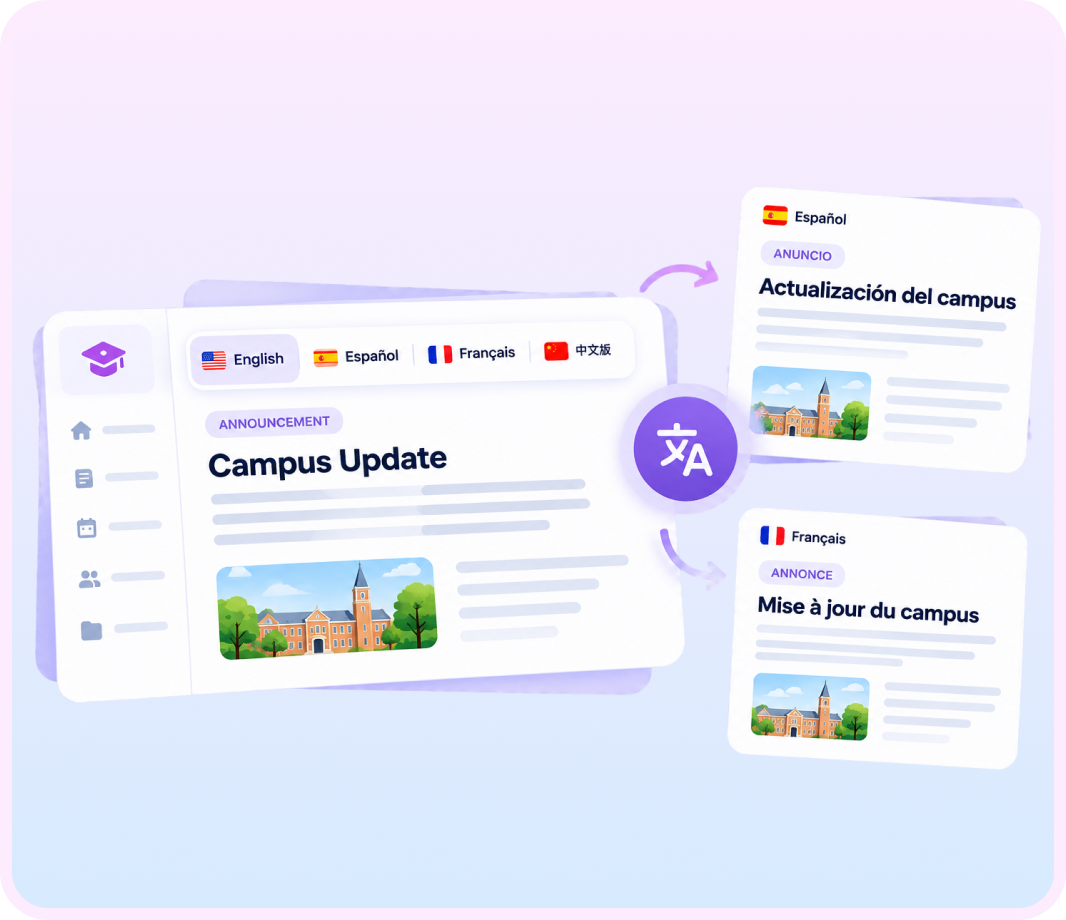
Translator makes sure staff communication and family-facing updates reach everyone clearly, regardless of the language they speak.
- Let every staff member view intranet content in their preferred language, switched instantly
- Real-time translation is built into the page, no plugin or separate license required
- English, French, Spanish, and more are supported from day one
- Request additional languages as your community grows

OnboardingHub+
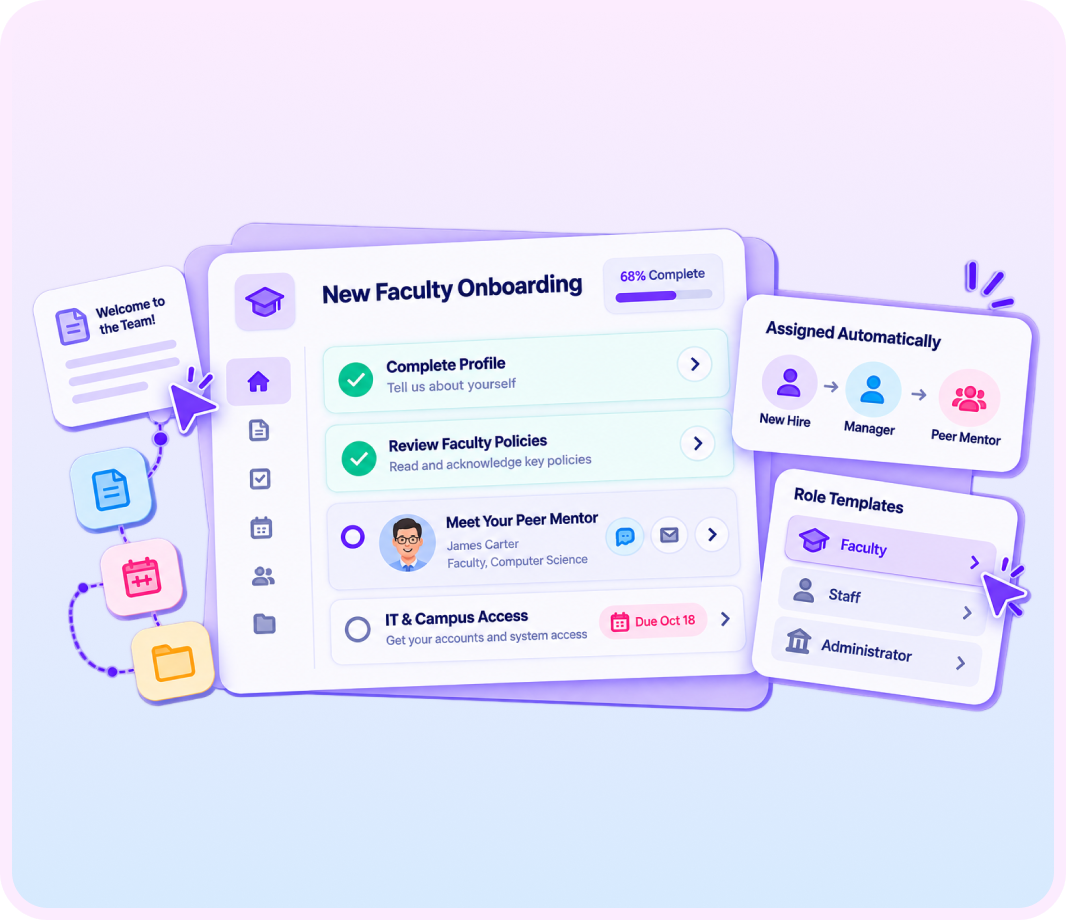
OnboardingHub+ gives new faculty and staff a structured path from their first day, instead of a stack of forms and a hallway tour.
- Assign onboarding tasks automatically to the new hire, their manager, and a peer mentor
- Build job-role templates so onboarding looks different for faculty, staff, and administrators
- Set due dates so nothing falls through the cracks in the first 90 days
- Link directly to third-party tools and intranet content new hires need on day one
EventHub
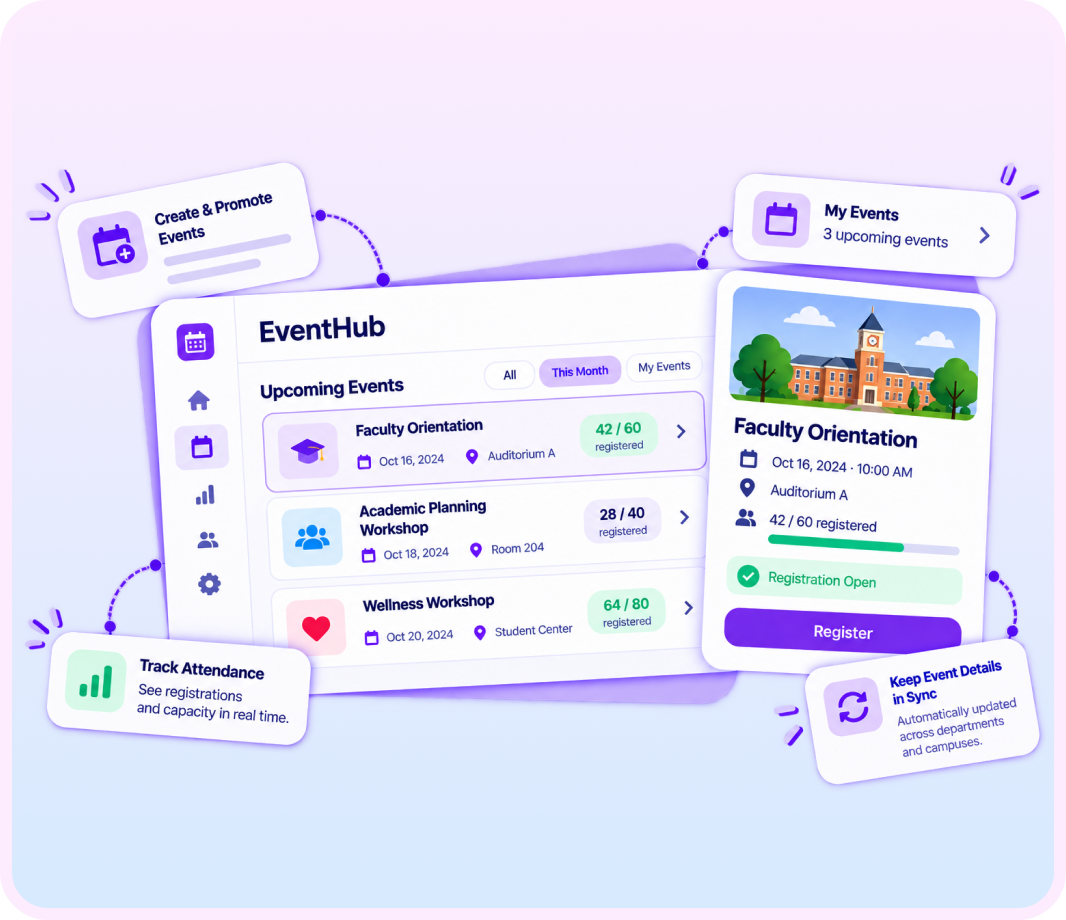
EventHub gives your institution one place to promote, staff, and track every campus event.
- Create and promote events with registration built in
- Track attendance and capacity limits automatically
- Give staff and faculty a personal My Events view of what's coming up
- Keep event details current across every department and campus
Built In From Day One: NewsHub, the Employee App, and AnalyticsHub
Beyond the tools above, every hubley institution gets these three at no extra cost.

NewsHub
gives your communications team one dashboard to publish institution-wide news and reach every campus at once.
Learn More About NewsHub

The Employee App
puts the calendar, staff directory, and institution resources on every employee's phone, on or off campus.
Learn More About Employee App
AnalyticsHub
shows which announcements, policies, and resources are actually reaching your faculty and staff.
Learn More About Intranet AnalyticsSecurity That Protects Student and Staff Data
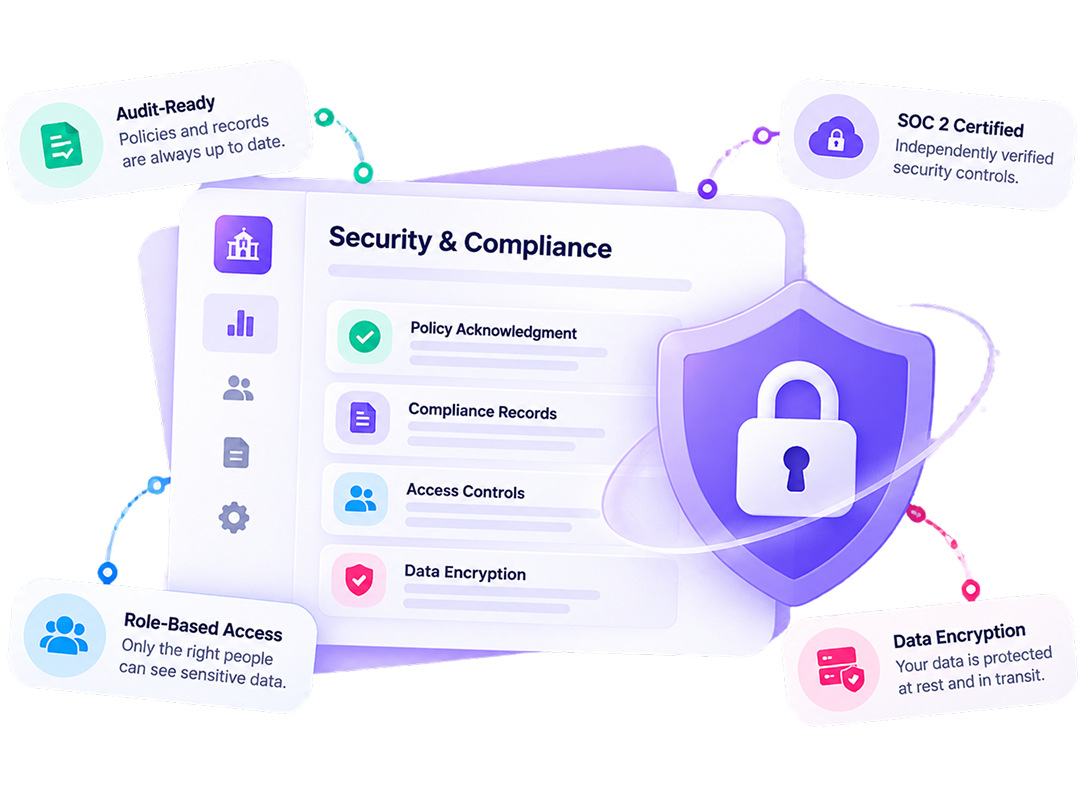
Student and staff records deserve more than a default configuration. hubley pairs Microsoft 365's security foundation with controls built specifically for education compliance.
- Audit-Ready Year-Round: Policy acknowledgment and compliance records are ready the moment a regulator or accreditor asks.
- SOC 2 Certified Platform: A security standard your procurement and IT team can independently verify.
- Access That Matches the Role: Student records, HR files, and department data stay visible only to the people who need them.
- Protected at Rest and in Transit: Encryption covers your data everywhere it moves, inside the Microsoft 365 tenant your institution already runs.

Frequently Asked Questions
How can an intranet benefit educational institutions?
An education intranet centralizes faculty and staff communication, policy documents, and event information, while giving administrators real-time visibility into how information moves across campus.
What are the key features of an effective education intranet?
Look for structured onboarding, event management, and a directory that lets staff find the right colleague fast. hubley includes all of these, plus AI-powered search and reporting.
Can faculty and staff access the intranet off campus?
Yes. The hubley Employee App is mobile-friendly on Android and Apple devices, so faculty and staff can get the information they need on or off campus.
Does hubley support staff who speak different languages?
Yes. Translator lets staff view intranet content in their preferred language, with support for English, French, Spanish, and more, plus the ability to request additional languages.
How does hubley help institutions manage policies and search for information?
PolicyHub+ tracks reviews, approvals, and acknowledgments for every policy, while SearchHub.ai lets staff search across documents, events, and resources from one bar, surfacing the actual answer instead of a list of files to open one by one.
How does hubley help onboard new faculty and staff?
OnboardingHub+ assigns onboarding tasks automatically to the new hire, their manager, and a peer mentor, with job-role templates so onboarding fits faculty, staff, and administrators differently.
Ready to Connect Every Campus,
Department, and Classroom?
See how hubley brings your faculty, staff, and administrators into one connected place for alerts, people, and reporting.